Helping design and engineering professionals discover, evaluate and specify technologies and processes that shorten the design cycle and enable success.


Alert!
Digital Engineering ceased publication on July 1, 2026. This website remains available as an archive of engineering content.
For inquiries or information, please email [email protected].

May 2026 Special Focus: Artificial Intelligence in Design and Simulation
In this Special Focus Issue, learn about the latest developments in the integration of artificial intelligence into engineering workflows.

April 2026 Special Focus Issue: Generative Design
In this Special Focus Issue, Digital Engineering takes a look at how generative design solutions can be used across different types of design problems and with a variety of manufacturing approaches to accelerate design space exploration, and…
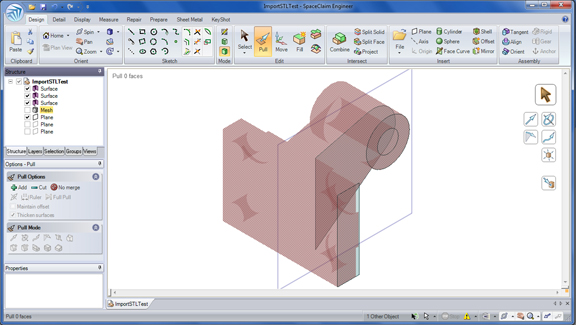
Push-pull modeling returns with SpaceClaim 2011, this time with some snappy actions to help you put your STL files to better use. In this release, you can use an imported STL file or mesh model as your guide to develop a new part, or recreate an old one. With this function, you can place sketch planes right against the surface of a mesh model, trace the outline by snapping your lines and arcs to the STL model's edges, then extrude the resulting profile into a solid body.
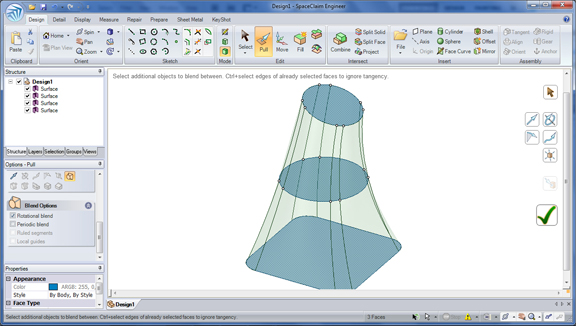
In 2011, you get real-time previews of your sweep operations before you execute them. The added function makes it easy for you to predict the shape you'll get when you sweep a series of profiles using, say, the ruled-segment option, the rotational-blend option, or something else. If you generally draw Splines, either as guide curves for sweeping or as profiles for lofting, you now have the option to put a check mark in the box "Draw Continuous Spline" (the option appears in the Sketch Option tab once the Spline tool is selected). This lets you draw the Spline, not as a series of curve segments but as one long squiggly line, in an operation much closer to how you might use a pencil to draw such a line.
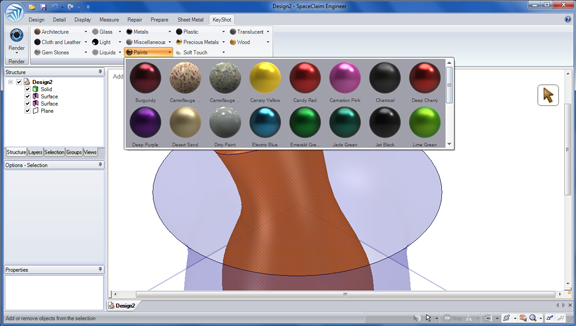
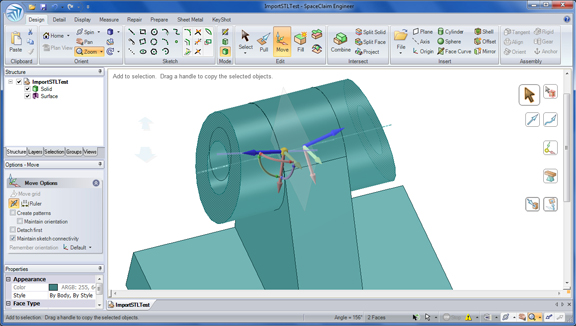
If you're creating symmetrical parts (say, a bike handle with identical geometry on both left and right sides), you may use the Move command to move, shift, and rotate these faces and features simultaneously. In other words, you'll be applying a transformation to both sides, as though they are mirrored parts (for example, tilting a pair of identical faces in left and right). With tighter integration with KeyShot rendering, you can drag and drop materials directly to your SpaceClaim model, then launch KeyShot to start rendering it.
SpaceClaim 2011 remains one of the easiest 3D mechanical modeling programs to learn and use, especially for those with little or no training in parametric or history-based modeling. The push-pull modeling method it championed significantly reduces the learning curve, making its operations much more intuitive and predictable. With no reliance on a history tree, it gives you the freedom to edit, refine, and correct imported 3D CAD geometry with greater speed.
In addition to conceptual modeling, SpaceClaim also targets those in the analysis field, where pre-test preparation often requires removing unwanted features. Often, such operations are made more difficult than necessary by the nature of parametric modeling, as minor edits may involve significant reshuffling of the historical modeling steps. In a direct-modeling program like SpaceClaim, these edits are comparatively easier to make, as it's free from the constraints of history-based modeling. STL-snap function in 2011 is another indication that SpaceClaim's developers are actively seeking ways to make working with mesh models easier.
(For testing, I used a review copy of SpaceClaim Engineer 2011, provided by the company.)
For more, watch the video clip below:


Kenneth Wong is Digital Engineering's resident blogger and senior editor. Email him at [email protected] or share your thoughts or suggestions at digitaleng.news/facebook.
Follow DE






About Us · Contact Us · Editorial Team · Advertising · Privacy Policy · Subscriber Services · © 2026 Digital Engineering 24/7 · Peerless Media