Helping design and engineering professionals discover, evaluate and specify technologies and processes that shorten the design cycle and enable success.


Alert!
Digital Engineering ceased publication on July 1, 2026. This website remains available as an archive of engineering content.
For inquiries or information, please email [email protected].
Sponsored

May 2026 Special Focus: Artificial Intelligence in Design and Simulation
In this Special Focus Issue, learn about the latest developments in the integration of artificial intelligence into engineering workflows.

April 2026 Special Focus Issue: Generative Design
In this Special Focus Issue, Digital Engineering takes a look at how generative design solutions can be used across different types of design problems and with a variety of manufacturing approaches to accelerate design space exploration, and…
Dear Desktop Engineering Reader:
 All of you babies of the family raise your hand if, as a “growed-up,” you’ve had a moment where you realized that your older siblings still treat you like you’re nine years old. Thought so. Type casting is a booger because it shuts down open minds. We stereotype so much in life, even with engineering tools. Arguably, no class of software is more presumed to be what it once was than those tools that began life as CAD viewers/translators.
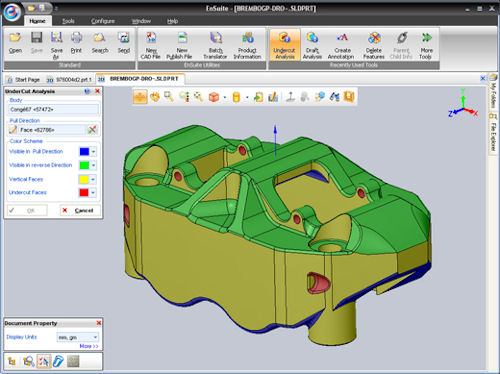
I bring this up because I recently took a gander at EnSuite from CCE (CADCAM-E.Com). It started out life as an MCAD viewer/translator long ago. But EnSuite has evolved into a productivity framework for the entire engineering enterprise that you might like to check out. Let me explain.
The nickel tour of EnSuite is that it’s a platform for automating processes so that you can use your multi-CAD data inside and outside of engineering efficiently. What to me makes EnSuite hit the productivity sweet spot are its “productivity apps,” which are a framework from which you create custom scripts to automate your common engineering enterprise processes.
So, what does a productivity app means to you on a practical level? First, is that people outside of engineering can work with files that show only the data they need. Take Sales. Sales engineers could have a productivity app that produces a near-instant quote by opening a CAD file, retrieving the data they need, then populating an Excel spreadsheet automatically. Or purchasing can access an assembly’s BOM to generate an RFQ automatically.
And the automation potential goes on: Marketing has its collateral fixings, Q&A can get data for spec checks, etc. Even engineering can get into the act by developing a script so they can get to work right away by automatically translating CAD files from a major client and hiding the irrelevant data. You get the idea.
And, yes, EnSuite has file translation capabilities for the major MCAD formats as well as traditional view, mark-up, analyze, compare, and share functionalities. You can check out more about EnSuite from the link up there. When you hit the landing page, sign up for a demo download on the top right. Under the “analyze” tab you’ll find some videos too. As a bonus, the people at CCE seem like good eggs.
Thanks, Pal. -- Lockwood
Anthony J. Lockwood
Editor at Large, Desktop Engineering


Anthony J. Lockwood is Digital Engineering's founding editor. He is now retired. Contact him via [email protected].
Follow DE






About Us · Contact Us · Editorial Team · Advertising · Privacy Policy · Subscriber Services · © 2026 Digital Engineering 24/7 · Peerless Media