Helping design and engineering professionals discover, evaluate and specify technologies and processes that shorten the design cycle and enable success.


Sponsored
 Dear Desktop Engineering Reader:
 Electronic products and embedded systems are everywhere, and they're getting more complex. A printed circuit board (PCB) lies at the heart of all of them. When done right, you don't notice that it's there. That means the pressure is on PCB designers to complete designs and manage board layout details error-free and, naturally, on time. Altium Designer, today's Pick of the Week, has earned its chops helping designers worldwide do just that.
The Alternative Part Choice system addresses a tense part of the designer, procurement and manufacturing collaboration. What it does is keep you in control of the component selection processes after you've passed on your BOM (bill of materials). It works by letting you specify alternate, pin-compatible components directly in your BOM as you design. Your backup parts can then be switched in automatically if need be.
You're talking automation and productivity with the Component Placement System. It provides a bunch of options that help you position components efficiently. You place and drag components dynamically, and they push, avoid and snap into alignment with other board components.
The video for version 16's Visual Clearance Boundaries functionality is a must see. This eminently practical capability shows you the clearance boundaries between traces and components in real-time as you route and design. Not only will you dispatch dead ends promptly, this will help produce accurate boards quickly and with fewer frustrations.
Altium Designer 16 debuts many more features, including an Offline Design system to control what you share with your networked colleagues and a 3D STEP model generation wizard to make realistic and accurate 3D representations of a board. You can read about them in today's Pick of the Week write-up.
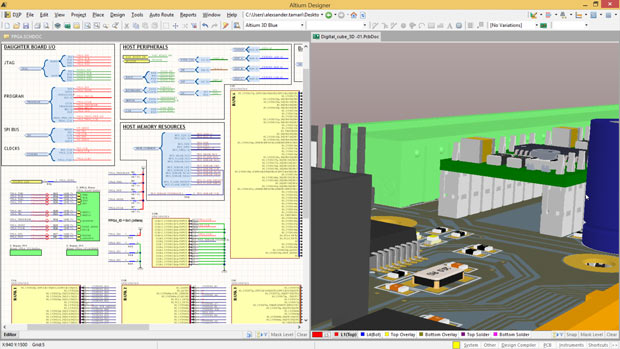
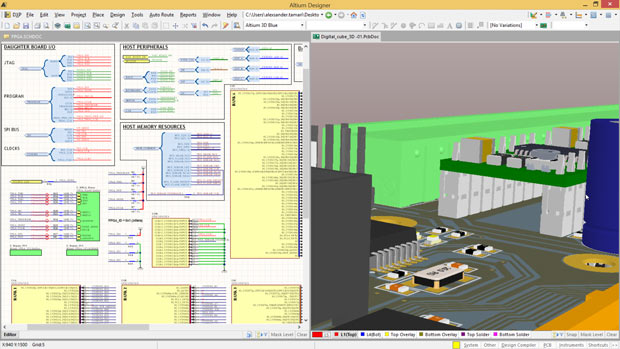 Altium has released version 16 of its flagship PCB (printed circuit board) design tool, Altium Designer. This native 3D design solution sees the introduction of several new features that enhanced design productivity and automation. Image courtesy of Altium Ltd.
Still, what you should do is get the trial license of Altium Designer 16 and whale away on it. And whatever you do, hit the first, last or any link in the write-up and watch some of the videos on Altium Designer's features as well as user stories. The website is loaded with them. Hit today's Pick of the Week link to get started.
Thanks, Pal. – Lockwood
Anthony J. Lockwood
Editor at Large, Desktop Engineering


Anthony J. Lockwood is Digital Engineering's founding editor. He is now retired. Contact him via [email protected].
Follow DE
Join over 90,000 engineering professionals who get fresh engineering news as soon as it is published.






About Us · Contact Us · Editorial Team · Advertising · Privacy Policy · Subscriber Services · © 2026 Digital Engineering 24/7 · Peerless Media