Digital Engineering 24/7

Helping design and engineering professionals discover, evaluate and specify technologies and processes that shorten the design cycle and enable success.


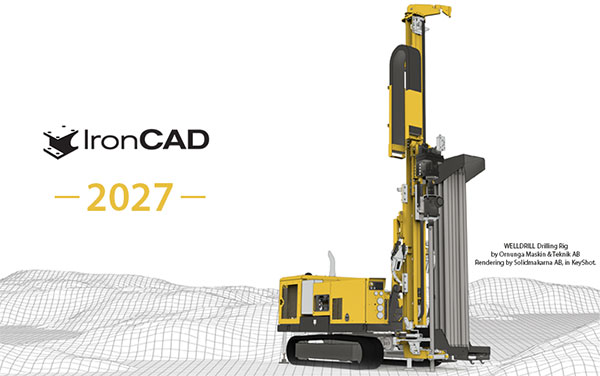
What’s New in IronCAD 2027?

IronCAD 2027 delivers enhancements to address designing heavy-duty machinery, precision tooling, piping systems, large-scale assemblies, and modular equipment.

What’s New in IronCAD 2027?
Source: IronCAD
These updates advance sketching and surfacing for custom metal fabrication, enable faster assembly layouts for industrial facilities, and support scalable modular designs with data flow between 3D and 2D environments, IronCAD reports. Image courtesy: IronCAD

Latest Design News

Latest Design Resources

By DE Editors  

June 4, 2026

IronCAD releases the IronCAD 2027 edition, replete with new features.

IronCAD 2027 New Features

IronCAD 2027 delivers enhancements that address the challenges of designing heavy-duty machinery, precision tooling, complex piping systems, large-scale assemblies, and modular equipment. These updates accelerate sketching and surfacing for custom metal fabrication, simplify detailed production drawings for fabrication shops, enable faster assembly layouts for industrial facilities, and support scalable modular designs with seamless data flow between 3D and 2D environments, IronCAD reports.

Key Improvements

Enhanced Performance and Productivity

IronCAD 2027 delivers performance gains in load/save operations and model interaction. Large-scale industrial assemblies, complex facility layouts, and heavy designs now open and respond faster, according to IronCAD. This is accomplished with improvements in the Graphical Interface and internal improvements to Internal Link creation, along with the Limited Link usage enhancements.

Improved Linking and Editing Capabilities

The enhanced linking architecture provides internal data management and new editing options for limited external links. The “Set as Active” command allows loading limited links to fully editable states, complemented by a “Deactivate All” option to return to the Limited Link state. 

Flexible Assembly Support

Assemblies can be designated as “flexible,” enabling child component positions to vary across different instances while preserving original design intent. This is valuable for industrial equipment and facility layout projects where the same subassembly (such as robotic arms, conveyors, or modular frames) must appear in multiple configurations within one project with different mechanism behaviors.

Smart Annotation Enhancements in ICD

IronCAD 2027 introduces several intelligent annotation improvements:

  • Remember simple modification to Attachment Point Smart Annotations during update
  • Improvements on location of text and arrows during creation
  • Improvements on Automatic Item Bubble Placement and positioning

AI Chatbot, AI Design Assistant, AI Drawing Assistant, and Python Integration

  • IronCAD AI Chat Bot – Real-time chat about IronCAD-related questions and technical questions within IronCAD’s interface, providing instant answers and prompting users with questions when certain commands are used, guiding them toward IronCAD’s methods of design within their workflow, is now available free to all users (Trial and Commercial users) through December 31, 2026.
  • IronCAD AI Design Assistant – The new IronCAD AI Design Assistant combines artificial intelligence with your real IronCAD catalog data. It leverages the library of existing catalog components and added metadata—including detailed descriptions, engineering parameters, materials, and Smart Attachment information – to understand and interpret your design intent. 
  • IronCAD AI Drawing Assistant – The IronCAD AI Drawing Assistant learns from your company’s existing technical drawings and cataloged 3D components to accelerate and standardize the creation of 2D manufacturing drawings.
  • IronCAD Python Integration – IronCAD now includes native support for the official Python Package (python-ironcad), integrated into IronCAD 2027. This package exposes IronCAD’s API to Python, enabling users and developers to automate, customize, and extend IronCAD directly from Python scripts. Using simple Python code, you can create custom automation tools, batch process designs, generate complex models programmatically, integrate with external systems, or build specialized applications—while leveraging the complete IronCAD API. 

Usability and Workflow Improvements

A range of enhancements streamlines daily tasks:

  • One-handed camera controls and visual orbit pivot for intuitive navigation of large assemblies
  • Freely movable TriBall into open space without a geometry snap point
  • Movable quick parameter edit dialog
  • Perspective with Ortho on orthographic viewing orientation

Drawing and Documentation Enhancements

Key ICD improvements include:

  • Bulk Drawing Template accessible for Create Drawing Process
  • Export of multiple sheets to a single DWG with multiple layouts
  • Faster geometry hit-testing and full 3D Isometric dimensioning support
  • Text Box supporting Vertical Alignment along with Horizontal Alignment
  • Item Bubble Support for Prefix and Postfix options

For more in-depth product details, click here. 

Sources: Press materials received from the company and additional information gleaned from the company’s website.


More about IronCAD

IronCAD is a leading provider of 3D Design Productivity Solutions that deliver the highest levels of customer satisfaction and productivity. Solutions that can be used either standalone or as complimentary collaboration solutions of a broader PLM…

Latest in IronCAD

Latest in New Products

About DE Editors

DE Editors

DE's editors contribute news and new product announcements to Digital Engineering. Press releases may be sent to them via [email protected].

Follow DE
on Facebook
on Linkedin

Related Topics

Design   ​CAD   Products   IronCAD   New Products   All topics
 

Subscribe

Subscribe to our FREE magazine, FREE email newsletters or both!

Join over 90,000 engineering professionals who get fresh engineering news as soon as it is published.

Subscribe today


From our Sponsors

Meltio Takes Metal Additive to the Next Level
Meltio's DED technology enables industries to tailor and customize their solutions to create & repair metal parts.
Easing the Transition from ETO to CTO with Configuration Lifecycle Management
Manufacturers are discovering that the Configure-to-Order (CTO) model provides significant benefits when it comes to customization.
Siemens + Altair = The Next Chapter in Design and Simulation
With its acquisition of Altair, Siemens creates a unified simulation portfolio combining generative design with high-performance computing and AI workflows.