Helping design and engineering professionals discover, evaluate and specify technologies and processes that shorten the design cycle and enable success.



April 2026 Special Focus Issue: Generative Design
In this Special Focus Issue, Digital Engineering takes a look at how generative design solutions can be used across different types of design problems and with a variety of manufacturing approaches to accelerate design space exploration, and…

Electrum utilizes the 3DEXPERIENCE platform on the cloud to develop their new electric motorcycle
Electrum, a new brand of electric motorcycles, utilizes the 3DEXPERIENCE platform. Their mission is to support Indonesia’s shift to low-carbon, sustainable transport and to ultimately help the country’s government achieve its vision of net…
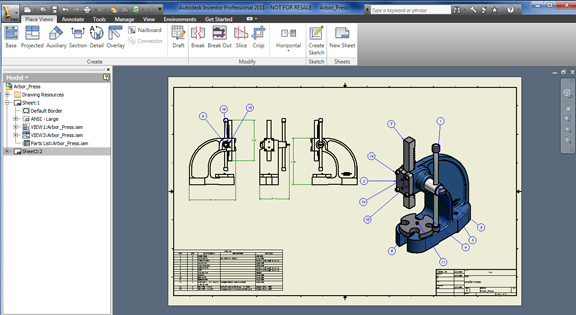
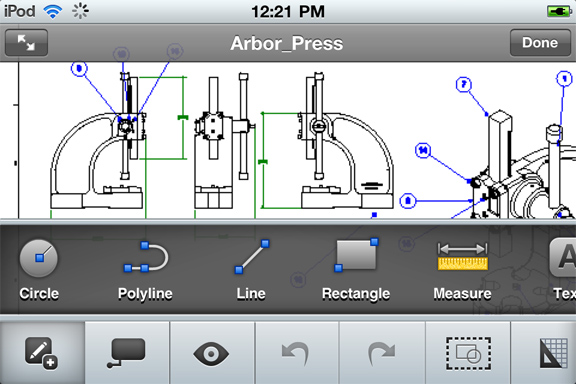
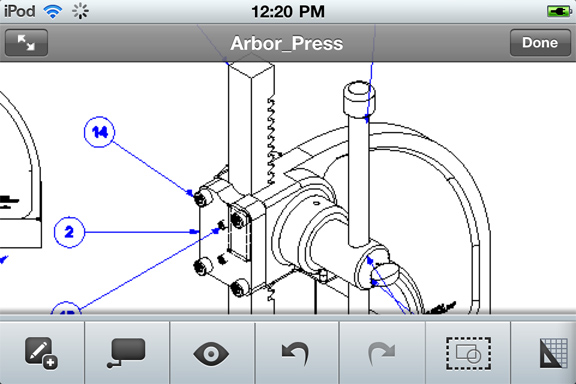
Can AutoCAD WS become Autodesk's own Acrobat-equivalent for DWG files? It certainly looks like the company is pushing it as its universal DWG viewer. This week, Autodesk gives people one more reason to consider its mobile app as the de facto DWG viewer and editor for those on the go. AutoCAD WS now supports DWG files published from Autodesk Inventor.
A casual search by the keyword Autodesk on iTunes and Apple App Store reveals AutoCAD WS, Autodesk Inventor Publisher Viewer Mobile, and SketchBook Mobile, among others. Originally codenamed Project Butterfly, AutoCAD WS began as a web-hosted, browser-based DWG viewing and editing program on Autodesk Labs. Released alongside AutoCAD for Mac in August 2010 (a comeback after 18 years' absence from the Mac OS), AutoCAD WS and AutoCAD make a formidable combo for rivals trying to unseat AutoCAD. With device-level support for iPhone and iPad via mobile apps (which is different from supporting mobile devices via web browsers), Autodesk made DWG markup a truly portable operation, allowing those in the field -- manufacturing plants and construction sites, for instance -- to interact with design data hosted online.
After publishing the DWG file from Autodesk Inventor, you can email the file to someone or post it somewhere online so iPad and iPhone users can access it. To use AutoCAD WS, you need an Autodesk log in (the same credentials for Autodesk University or Autodesk Labs will work). If you receive your DWG file in your inbox in your mobile device with AutoCAD WS installed, you'll be prompted to use AutoCAD WS to launch the file.
The latest release, AutoCAD WS Mobile 1.2, marks the debut of certain new features:


Kenneth Wong is Digital Engineering's resident blogger and senior editor. Email him at [email protected] or share your thoughts or suggestions at digitaleng.news/facebook.
Follow DE
Join over 90,000 engineering professionals who get fresh engineering news as soon as it is published.






About Us · Contact Us · Editorial Team · Advertising · Privacy Policy · Subscriber Services · © 2026 Digital Engineering 24/7 · Peerless Media