Helping design and engineering professionals discover, evaluate and specify technologies and processes that shorten the design cycle and enable success.



May 2026 Special Focus: Artificial Intelligence in Design and Simulation
In this Special Focus Issue, learn about the latest developments in the integration of artificial intelligence into engineering workflows.

April 2026 Special Focus Issue: Generative Design
In this Special Focus Issue, Digital Engineering takes a look at how generative design solutions can be used across different types of design problems and with a variety of manufacturing approaches to accelerate design space exploration, and…
The IntelliCAD Technology Consortium (ITC) releases IntelliCAD 11.0.
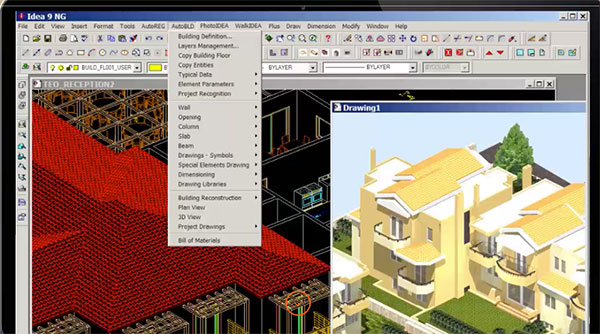
IntelliCAD 11.0 focuses on new view and visualization productivity tools: use section planes to visualize cross-sections of a model, view models as though you are walking or flying through them, use the view cube to check and switch viewing directions, and use the view and visual style controls to quickly apply a different view and visual style to a model.
More new features include working with startup suites; exporting to .obj files; importing map files by connecting to PostgreSQL, MySQL, and WFS servers; moving and rotating entities interactively using the 3D Positioner command; isolating, hiding, and unisolating entities; and displaying selected entities with a glowing highlight effect. Other new commands include Facet Model Pipe, Reverse, Break at Point, Map Service, Update Field, Model, Hatch Generate Boundary, and Match Cell.
Ease-of-use improvements can be seen in data links, tables, geographic location setup, the Publish command, and a new Visualize ribbon tab.
For versions of IntelliCAD that work with BIM files, import Autodesk Revit 2022 files, create and assign visibility states, select and work with .ifc and .rvt underlays using the Explorer, and use the Audit command to check for errors in .ifc files that are attached as underlays.
For versions of IntelliCAD that open, save and edit .dgn files in their native format, use the Audit, DXF Out, DWG Out, and Divide commands; work with associative dimensions; import linetypes from .lin files; and use the DGNGLOBALORIGIN system variable. Working with .dgn files also includes several performance improvements: regenerating and saving files with scalable linetypes is more than ten times faster, erasing entities is four times faster, snapping is more than ten times faster, and redrawing, zooming, and panning are overall faster.
For technical users, IntelliCAD 11.0 incorporates ODA SDKs version 2022.12, Microsoft Windows 11 SDK which is compatible with Windows 11, and Spatial Technology ACIS version 2022.
IntelliCAD IcAPI is prereleased to members. The new API is highly compatible with AutoCAD Object ARX and allows ITC members to build applications with a single code base that runs on both platforms.
“On the surface, IntelliCAD 11 is a software release with many enhancements, which include a focus on making viewing and visualizing models easier and more effective,” says David Lorenzo, ITC president. “While new features are exciting for users, there is even more going on under the hood for IntelliCAD developers. A member pre-release of our new IcARX API eases porting of AutoCAD® ObjectARX applications and will usher in a new era of development for the consortium.”
IntelliCAD 11.0 is supported on Microsoft Windows 11, Windows 10, Windows 8, and Windows 7 64-bit versions. IntelliCAD Mobile Viewer versions are available for Windows desktop, Google Android, Apple macOS and iOS.
Interested IntelliCAD users can contact ITC members to receive details about availability of IntelliCAD software.
Companies interested in more details about IntelliCAD and membership in the ITC should contact the ITC directly.
Sources: Press materials received from the company and additional information gleaned from the company’s website.


DE's editors contribute news and new product announcements to Digital Engineering. Press releases may be sent to them via [email protected].
Follow DE
Join over 90,000 engineering professionals who get fresh engineering news as soon as it is published.






About Us · Contact Us · Editorial Team · Advertising · Privacy Policy · Subscriber Services · © 2026 Digital Engineering 24/7 · Peerless Media