Helping design and engineering professionals discover, evaluate and specify technologies and processes that shorten the design cycle and enable success.



April 2026 Special Focus Issue: Generative Design
In this Special Focus Issue, Digital Engineering takes a look at how generative design solutions can be used across different types of design problems and with a variety of manufacturing approaches to accelerate design space exploration, and…

Electrum utilizes the 3DEXPERIENCE platform on the cloud to develop their new electric motorcycle
Electrum, a new brand of electric motorcycles, utilizes the 3DEXPERIENCE platform. Their mission is to support Indonesia’s shift to low-carbon, sustainable transport and to ultimately help the country’s government achieve its vision of net…
One month after the Open Beta release, ZWCAD 2019 from ZWSOFT now offers more new features and improvements, as well as enhanced stability and efficiency.
 Images courtesy of ZWSOFT.
ZWCAD 2019 Official came out in the 20th anniversary of ZWSOFT, as the latest reliable CAD solution for worldwide users, the company reports.
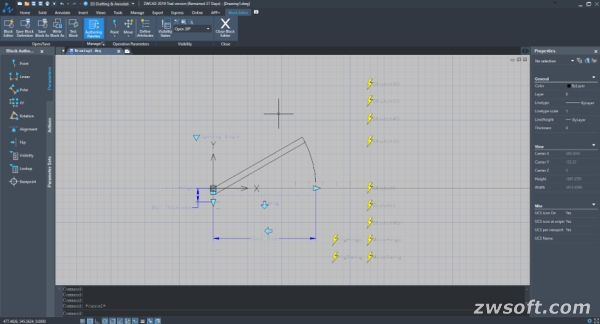
The new Block Editor allows users to create and modify Dynamic Block definition by adding various Parameters and Actions, and thus to build smart and powerful Dynamic Blocks that suit different design situations.
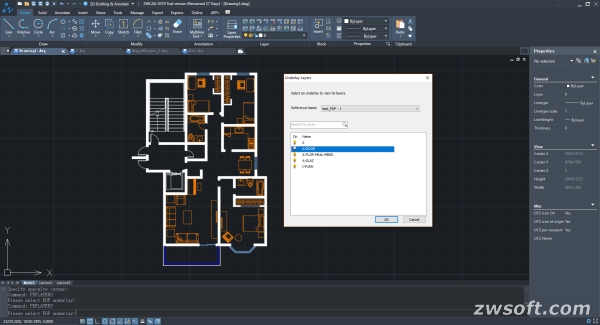
 PDF underlay.
After inserting the Dynamic Block, you can change its appearance or behavior according to the “rules” you have set. For example, if you want to make the door (Dynamic Block) below larger, stretch (Action) the length (Parameter) simply by dragging the grip.
PDF can now be attached and displayed as underlay by PDFATTACH command, after which you can adjust the contrast, fade degree and monochrome of the PDF, snap the objects in it, display or hide its frame, clip it as you like, and manage its layers to control what objects to be displayed to simplify the drawing, so that you can continue to work on the existing designs, instead of starting from scratch.
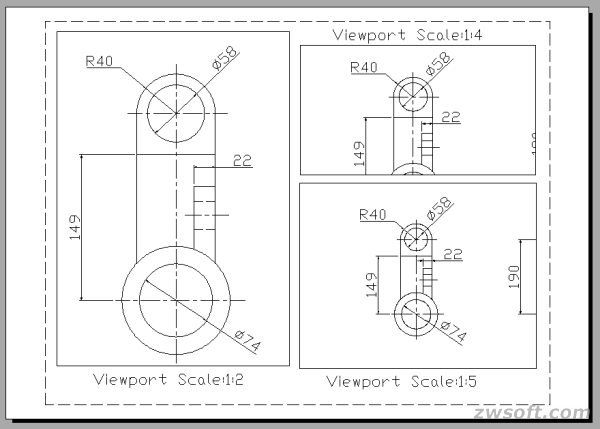
 Annotative Object: scale automatically, display properly.
If a user wishes to plot a drawing with annotations to a smaller scale, the size of the annotations will also be reduced, which usually makes them too small to be recognized, bringing forth inconvenience in design communications.
Now users can simply use Annotative settings. Through turning the annotations like text, dimension, hatch, multileader, etc. into Annotative Objects, their sizes can be adjusted automatically according to different view scales in model space or layout viewport, and thus always displayed at the right size.
Before, when opening Layer Manager, users could only operate in its dialog box, which means it's necessary to open and close the it repeatedly to see how the layers have been changed in the drawing.
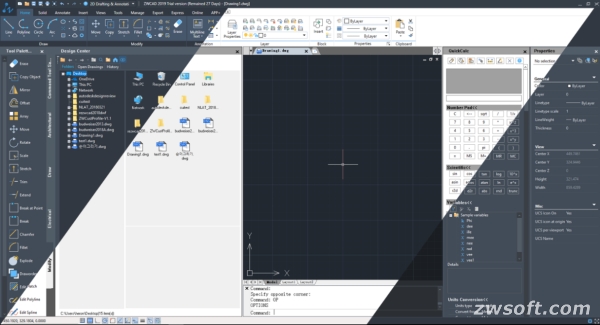 Layer Properties Manager Palette.
But now, through turning the dialog box into a palette, users can operate in the drawing area with the Layer Manager on, and see the instant updates of layer adjustments in the drawing area. Now with Smart Plot, multiple frames can be plotted at one time from the Model space with ZWPLOT command. Z-Axis can now be tracked in 3D design, which means users can draw lines parallel to Z-Axis easily without any other construction lines, making 3D design handier.
For more info, visit ZWSOFT.
Sources: Press materials received from the company.


DE's editors contribute news and new product announcements to Digital Engineering. Press releases may be sent to them via [email protected].
Follow DE
Join over 90,000 engineering professionals who get fresh engineering news as soon as it is published.






About Us · Contact Us · Editorial Team · Advertising · Privacy Policy · Subscriber Services · © 2026 Digital Engineering 24/7 · Peerless Media