Helping design and engineering professionals discover, evaluate and specify technologies and processes that shorten the design cycle and enable success.



May 2026 Special Focus: Artificial Intelligence in Design and Simulation
In this Special Focus Issue, learn about the latest developments in the integration of artificial intelligence into engineering workflows.

April 2026 Special Focus Issue: Generative Design
In this Special Focus Issue, Digital Engineering takes a look at how generative design solutions can be used across different types of design problems and with a variety of manufacturing approaches to accelerate design space exploration, and…
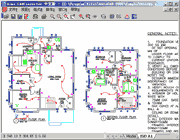 DWG Tool (Chengdu, China) released version 7.9 of its Acme CAD Converter, which offers support for the paper setting of each layout, can adjust the size of output pages with its layout automatically, and supports 3D objects hidden line removal when converting DWG/DXF to other formats.
The DWG Converter - Acme CAD Converter is a dwg-dxf-dwf format conversion software for batch and vector files. It can conveniently convert DXF, DWF, and DWG files into WMF, BMP, GIF, JPEG, TIFF, PNG, TGA, DXF, DWG, SVG, PDF, HPGL, CGM, EPS, etc., and enables the conversion between DXF and DWG file versions (R2.5-R2008).
It also supports replace font file and eTransmit command like AutoCAD, as well as batch recover drawing files.
Characteristics of the software include the ability to open various DXF / DWG versions ( R2.5-R2008) and DWF; identify literal fonts and entity color correctly; supports batched conversion of multiple files; select the printout of color or monochrome raster file; set background color freely; print out raster mask file; be used as image channel (used in Photoshop etc.); replace font files; set the size of raster file to be printed out freely; supports full-screen mode (press F); supports printing; supports AutoCAD pen sets; can adjust page size with layout.
It can also convert to PDF; Multi-files transmit; Batch recover DWG / DXF files; Can export Layer and Raster image in the dwg/dxf file to PDF file; Can export OLE entity to PDF file; Supports 3d object hidden line removal, can select a window area for exporting; can export the arc/circle objects to true arc/circle objects of other vector file; supports true color; supports pen width and destination colors settings, and can export/import these settings; create PDF bookmark automatically with layout name and file name, and you can edit them; SHX font, XRef and Image search path; WYSIWYG; Command line parameters; Free viewer of dwg/dxf/dwf files; Register once and upgrade free permanently.
It supports Windows95/98/ME/NT/2000/XP/Vistawithout AutoCAD.
For further details, contact DWG TOOL Software.
Sources: Press materials received from the company and additional information gleaned from the company’s website.


DE's editors contribute news and new product announcements to Digital Engineering. Press releases may be sent to them via [email protected].
Follow DE
Join over 90,000 engineering professionals who get fresh engineering news as soon as it is published.






About Us · Contact Us · Editorial Team · Advertising · Privacy Policy · Subscriber Services · © 2026 Digital Engineering 24/7 · Peerless Media