Helping design and engineering professionals discover, evaluate and specify technologies and processes that shorten the design cycle and enable success.


Sponsored

May 2026 Special Focus: Artificial Intelligence in Design and Simulation
In this Special Focus Issue, learn about the latest developments in the integration of artificial intelligence into engineering workflows.

Design & Simulation Software Guide 2025
In this Special Issue, Digital Engineering presents its second annual guide to design and simulation software vendors.


Dear DE Reader:
By now you've heard some buzz about the ANSYS Discovery Live technology preview. It's ANSYS’ new multiple physics design exploration tool for designers and other engineers who don't do simulation or who find traditional upfront analysis tools difficult to work with or sluggish. Discovery Live is easy to use, includes direct-modeling tools and handles fluids as well as structural and thermal simulation jobs. You can run all the what-if scenarios you want because Discovery Live returns results in near real time.
The key to Discovery Live's performance lies in the collaboration between ANSYS code and NVIDIA technologies. Specifically, ANSYS developed all-new solvers for Discovery Live that capitalize on the massive parallel-processing capabilities of NVIDIA's professional-level GPUs (graphics processing units) and NVIDIA's CUDA parallel computing and programming model. CUDA is designed to make developing applications to exploit GPU potential easier.
And what does that mean in this regard? Broadly speaking, design-oriented applications don't always take advantage of the parallel processing, supercomputing capabilities that NVIDIA GPUs deliver. They mostly rely on your CPU chip to do all the calculations. NVIDIA GPUs can handle thousands of operations simultaneously.
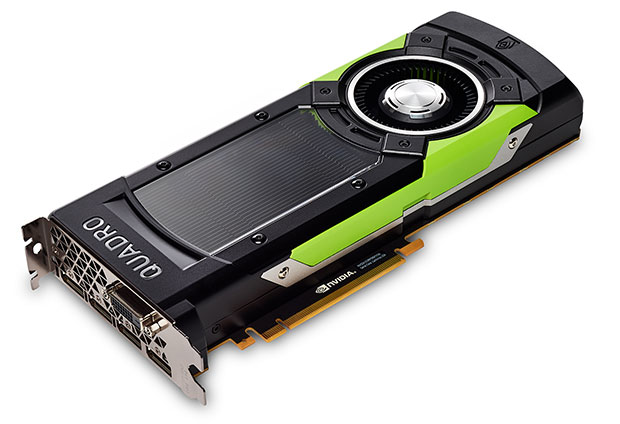
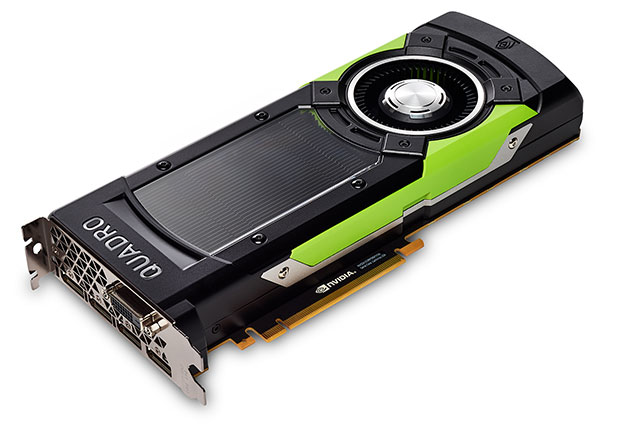 The ANSYS Discovery Live technology preview runs on mobile or desktop workstations with a dedicated NVIDIA GPU and at least 4GB of memory. For optimal visualization results, NVIDIA recommends a professional-level Quadro graphics solution such as its GP100 visual computing accelerator shown here. Image courtesy of NVDIA Corp.
So, what happened here is that ANSYS, which knows simulation, in collaboration with NVIDIA, which knows graphics, built new solvers optimized to use the massive parallel nature of NVIDIA GPUs that were underused by design applications previously. It's that simple, but it took years of R&D.
What's in it for you? For one, the NVIDIA-ANSYS synergy creates a design environment where visualizations and simulation results happen simultaneously. For two, irksome jobs like geometry cleanup, meshing, solving models and displaying the results happen automatically and immediately. That all means that NVIDIA GPUs, when presented with the CUDA-friendly coding in Discovery Live honed for them, run your calculations a gazillion times faster than conventional methods and technologies can hope to do. And you get results just as fast. That's the “live” that NVIDIA enables in Discovery Live.
What to do? First, for optimal visualization results, both NVIDIA and ANSYS recommend running Discovery Live on mobile or desktop workstations with a professional-level NVIDIA Quadro P5000, P6000 or GP100 graphics accelerator with at least 4GB of memory. (Simulation fidelity boosts automatically if you have more memory.) Two, hit today's Editor's Pick of the Week link. Find the link to download this technology preview and see for yourself what NVIDIA and ANSYS have wrought.
Thanks, Pal. – Lockwood
Anthony J. Lockwood
Editor at Large, DE


Anthony J. Lockwood is Digital Engineering's founding editor. He is now retired. Contact him via [email protected].
Follow DE
Join over 90,000 engineering professionals who get fresh engineering news as soon as it is published.






About Us · Contact Us · Editorial Team · Advertising · Privacy Policy · Subscriber Services · © 2026 Digital Engineering 24/7 · Peerless Media