Helping design and engineering professionals discover, evaluate and specify technologies and processes that shorten the design cycle and enable success.



May 2026 Special Focus: Artificial Intelligence in Design and Simulation
In this Special Focus Issue, learn about the latest developments in the integration of artificial intelligence into engineering workflows.

April 2026 Special Focus Issue: Generative Design
In this Special Focus Issue, Digital Engineering takes a look at how generative design solutions can be used across different types of design problems and with a variety of manufacturing approaches to accelerate design space exploration, and…
That is, no doubt, part of the inspiration behind Autodesk’s newest app: Tinkerplay. Based on the popular Modio app which was acquired by Autodesk, the new design app is free and designed to be kid friendly. Autodesk is helping train the next generation of designers to think in 3D.
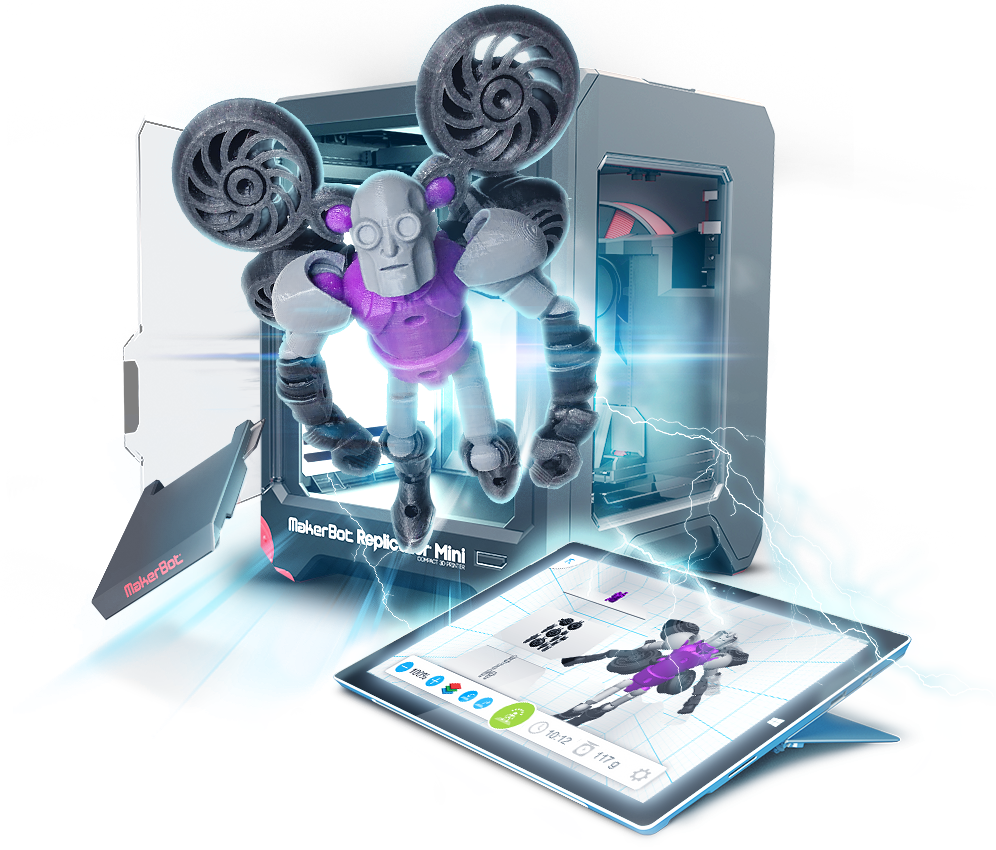 Tinkerplay offers 3D creation simple enough for kids to enjoy. Image courtesy of Autodesk.
“Creators, designers and makers from ages five to ninety, have blown us away with their passion for 3D modeling and 3D printing,” said Samir Hanna, VP and GM, Autodesk Consumer Products and 3D Printing. “With Tinkerplay, we’re providing another great tool designed for kids of all ages who want to play, create and tinker.”
In place of requiring loads (or even a touch) of CAD knowledge, Tinkerplay operates in the same manner is a virtual box of Lego. Users select from a number of pre-generated parts and snap them together to form completed models.
A finished model is fully posable (within the limitation of its parts), and Tinkerplay generates a list of the required parts – along with the digital designs – required to build the model. This gives users the chance to either print out their creations at home, or send the information off to a service bureau.
If people grow bored with the options presented within Tinkerplay, new objects can be designed using Autodesk’s Tinkercad program. While not quite as user friendly as Tinkerplay, Tinkercad is easy enough to use that most computer-literate people should be able to mush together a few new pieces.
Tinkerplay is available for iOS, Android, and Windows devices. You can watch a video about Autodesk’s latest release below.
Source: Autodesk


John Newman is a Digital Engineering contributor who focuses on 3D printing. Contact him via [email protected] and read his posts on Rapid Ready Technology.
Follow DE
Join over 90,000 engineering professionals who get fresh engineering news as soon as it is published.






About Us · Contact Us · Editorial Team · Advertising · Privacy Policy · Subscriber Services · © 2026 Digital Engineering 24/7 · Peerless Media