Helping design and engineering professionals discover, evaluate and specify technologies and processes that shorten the design cycle and enable success.



May 2026 Special Focus: Artificial Intelligence in Design and Simulation
In this Special Focus Issue, learn about the latest developments in the integration of artificial intelligence into engineering workflows.

April 2026 Special Focus Issue: Generative Design
In this Special Focus Issue, Digital Engineering takes a look at how generative design solutions can be used across different types of design problems and with a variety of manufacturing approaches to accelerate design space exploration, and…
 Dear DE Reader:
Okey-doke, you SOLIDWORKS CAD and Simulation slingers. This sounds cool.
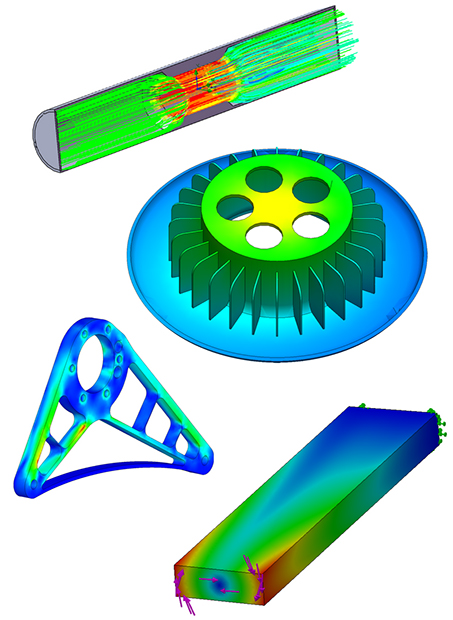
CORTIME from CORTIME is a parametric optimization tool that integrates with SOLIDWORKS. It helps you find the optimal design using your objectives. From digging around and learning about CORTIME, that word “helps” doesn't quite cut it. See, you feed CORTIME your model, tell it the variables you're after as well as your design's performance objectives, then hit start. Three steps. That's your optimization design study setup.
It then runs through any number of design iterations, automatically modifying the model until it finds the best solution. It runs unattended, so you don't have to hang around watching a progress bar. You can use your workstation for something else. If some rebuild bellies up, CORTIME learns from it and keeps going. You don't have to deal with it. Since the number of variables you can set is limitless, you can tell CORTIME to analyze massive jobs filled with stuff you'd never do on your own then let it run overnight.
Once CORTIME does its thing, you can dig into the results, using its range of data analysis tools. It reports an overview of the entire optimization process that you can explore with these tools. You can restore every design in SOLIDWORKS if you want. One neat time-saver is a Run Check tool that lets you preemptively check your design space before you get down into a full optimization job.
OK, you say, what about SOLIDWORKS Design Study? At the end of today's Editor's Pick of the Week write-up you'll find two links to “SOLIDWORKS Design Study vs. CORTIME.” One's a blog post referencing the other, which is a white paper. Read them. Keep in mind the people at CORTIME are SOLIDWORKS solution partners, so there's no hatchet job here.
But in a nutshell, CORTIME provides a robust set of capabilities—things like response surfaces, highly multivariate optimizations, parallel coordinates analyses and adaptive weight handling. Its direct optimization algorithms’ intelligent exploration of the design space reportedly improves accuracy compared to traditional optimization approaches.
Today's write-up also links to a library of CORTIME tutorials. They're not gated. One takeaway from watching them is that CORTIME appears easy to use. CORTIME doesn't sound that expensive either. But that's something you can decide after you get the demo and put it through some paces. Hit the links for more. This sounds cool.
Thanks, Pal. – Lockwood
Anthony J. Lockwood, Editor at Large, DE


Anthony J. Lockwood is Digital Engineering's founding editor. He is now retired. Contact him via [email protected].
Follow DE
Join over 90,000 engineering professionals who get fresh engineering news as soon as it is published.






About Us · Contact Us · Editorial Team · Advertising · Privacy Policy · Subscriber Services · © 2026 Digital Engineering 24/7 · Peerless Media