Helping design and engineering professionals discover, evaluate and specify technologies and processes that shorten the design cycle and enable success.



Cut Retrieval-Augmented Generation (RAG) Hallucinations by 50%
Most teams hit the same wall with enterprise AI: LLMs that hallucinate, pipelines that don’t scale, and infrastructure that’s harder to design than the models themselves.

What Is Intelligent BOM Management? A Guide to Smarter Product Development
Learn how intelligent Bill of Materials (BOM) management helps teams collaborate, reduce errors, and bring innovative products to market faster with cloud-based PLM tools.
 MapleSim Connectivity Toolbox |
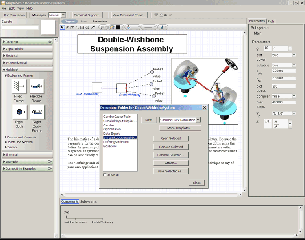
Maplesoft (Waterloo, ONT) has released new software that integrates its recently announced MapleSim multi-domain modeling and simulation tool with the Simulink multidomain environment for designing and simulating dynamic and embedded systems from the MathWorks (Natick, MA). The MapleSim Connectivity Toolbox enables users to export high-fidelity models of complex systems created and optimized in MapleSim as S-Function blocks for use in Simulink. The resulting S-Function blocks are compact and run up to 10 times faster than similar blocks created in Simulink, according to the company.
MapleSim lets engineers use a graphical interface to diagram, simulate, and model complex systems with such real-world realities as continuous and discrete signals, hydraulics, and analog, digital, and multiphase electric circuits. It offers a range of simulation tools, such as equation generation, symbolic simplification, and units management, all of which are based on the company's mathematical engine, Maple. MapleSim also lets you create and embedded custom components in your models.
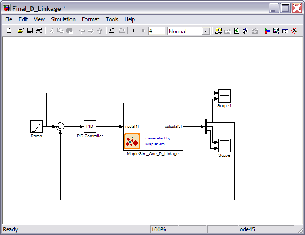
Once you have created and optimized a MapleSim model, you can use the MapleSim Connectivity Toolbox to convert it to a Simulink S-Function block automatically. Any procedures and custom components made in MapleSim are fully convertible for Simulink. Converted models can go directly into a Simulink diagram, or they can be saved into the Simulink Block Library for repeated use as needed.
“The MapleSim Connectivity Toolbox allows engineers to construct their models in shorter time and with less effort,” says Laurent Bernardin, Maplesoft's Chief Scientist and Vice President of Research and Development in a press statement.
 MapleSim Connectivity Toolbox |
Maplesoft say that, for many multidomain systems, using MapleSim to create the original model is the only way to create a simulation that is fast enough for use in real-time applications. “Users can build the complex portions of their models more easily using MapleSim,” says Bernardin. “Not only does that provide significant time savings, but it also enables engineers to enhance and extend their Simulink models in ways that would be extremely difficult, and sometimes impossible, without MapleSim.”
Other features of the MapleSim Connectivity Toolbox include a MapleSim template that provides a step-by-step interface for setting parameters and options, browsing generated code, and exporting models to Simulink. The Toolbox also provides a set of Maple language commands for programmatic access to all functionality as an alternative to its standard interface as well as for custom application development.
The MapleSim Connectivity Toolbox costs $995, and MapleSim is $2,995. Maple . Academic and volume discounts are available. As a special introductory offer, anyone who purchases MapleSim before March 31, 2009, will receive this toolbox at no additional cost.
For more information, visit Maplesoft.
View a demonstration of the MapleSim Connectivity Toolbox.
See the system requirements for the MapleSim Connectivity Toolbox.
Learn what MapleSim is all about.
Read why DE’s editors chose MapleSim Connectivity Toolbox as its Pick of the Week.
Read why DE’s editors chose MapleSim as its Pick of the Week.


DE's editors contribute news and new product announcements to Digital Engineering. Press releases may be sent to them via [email protected].
Follow DE
Join over 90,000 engineering professionals who get fresh engineering news as soon as it is published.






About Us · Contact Us · Editorial Team · Advertising · Privacy Policy · Subscriber Services · © 2026 Digital Engineering 24/7 · Peerless Media