Helping design and engineering professionals discover, evaluate and specify technologies and processes that shorten the design cycle and enable success.


Digital Engineering April 2026
In the latest issue of Digital Engineering, we take a look at the latest innovations in design for additive manufacturing, including the use of natural language inputs, social media cosplayers, and AI integration. The issue also includes a feature…

January Special Focus Issue: Design for Additive
In this Special Focus Issue of Digital Engineering, learn about the latest advancements in design for additive manufacturing, including new software tools, additive in automotive, custom medical devices, and more.
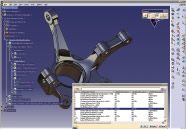 |
SIMULIA recently released Version 2.5 of Abaqus for CATIA V5. This latest version is said to improve realistic product behavior simulation during the design phase by offering more productivity and an even easier-to-use interface. SIMULIA says it hopes it instills confidence during product development while minimizing software interfaces.
Abaqus for CATIA V5 (AFC) brings Abaqus finite element analysis (FEA) technology into the CATIA V5 user environment. CATIA V5 provides design capabilities and Abaqus for CATIA V5 makes the design model and the simulation model one and the same, bringing power and flexibility to the engineer's desktop. The result is a complete package for deploying proven FEA-based simulation throughout the design process.
The new release, Version 2.5, available on the latest 64-bit computing architecture as well as 32-bit systems, provides tighter integration with CATIA V5.
Input from global leaders in the automotive and aerospace industries helped set the development direction for AFC by specifying and evaluating new features. Thus, AFC tackles a range of high-value workflows without leaving CATIA V5. Automation and scripting tools open AFC to customization and additional efficiencies for scenarios performed on a regular basis.
The new product leverages CATIA's Knowledgeware, which allows users to capture design knowledge and reuse it as best practices to ensure compliance with established standards. Plus, the new automatic contact detection feature simplifies the modeling process and reduces potential errors by providing a wizard-based interface that guides users through setup options and automatically detects all likely contact pairs.
Version 2.5 offers automatic contact detection to simplify the way users define and manage interactions. The wizard-based approach steps the user through detection options. When the user hits Run, AFC automatically detects all of the likely contact pairs in the model. There are also several options available to help the user verify, merge, edit, and delete detected pairs.
CATIA V5 Integration Features include seamless integration with the CATIA V5 environment; availability of linear and nonlinear static, dynamic, and thermal analysis capabilities within the CATIA V5 environment; complete geometric associativity; support for Knowledgeware publications and results sensors; complete support for CATIA V5 groups; support for many CATIA V5 advanced connections; and Visual Basic scripting capabilities for automated workflows.
The two CATIA V5 Platforms include CATIA V5 R17 SP0 and higher, as well as CATIA V5 R18 SP0 and higher (starting with V2.5-2). The workbenches are the Abaqus Structural Analysis workbench for performing static and explicit dynamic simulations; and Abaqus Thermal Analysis workbench for heat transfer simulations.
Geometric Nonlinearities include large rotations, large strains, and stress stiffening. Advanced modeling techniques include submodeling to target regions of interest for detailed stress analysis, cyclic symmetry modeling to analyze bodies whose sectors repeat about an axis of revolution, and much more. It also supports more than a dozen job management features, and documentation includes an online user's manual (in both HTML and PDF formats), tool tips, and more.
Operating systems include Windows XP, XP 64-bit Edition, and 2000.
SIMULIA
Providence, RI
simulia.com


DE's editors contribute news and new product announcements to Digital Engineering. Press releases may be sent to them via [email protected].
Follow DE
Join over 90,000 engineering professionals who get fresh engineering news as soon as it is published.






About Us · Contact Us · Editorial Team · Advertising · Privacy Policy · Subscriber Services · © 2026 Digital Engineering 24/7 · Peerless Media