Helping design and engineering professionals discover, evaluate and specify technologies and processes that shorten the design cycle and enable success.


Sponsored
 Dear Desktop Engineering Reader:
 Hollywood is into remakes of classic movies – “Rio Bravo” and “Godzilla” are examples. “The Graduate” is one movie yet to be updated and remade with today’s stars. Picture, if you will, that timeless scene when some old guy pulls aside the young Ben Braddock and hands down a single word of career advice: Plastics. Still not bad advice after 48 years, but the old guy in a 2015 version of the scene might just as likely say “batteries.”
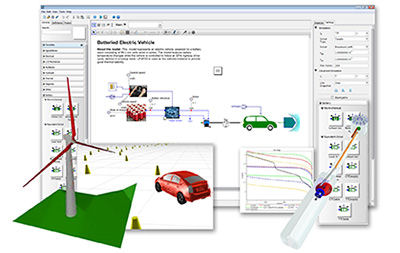
They’re everywhere. Batteries store solar-generated electricity, drive electric vehicles (EVs), charge hand-held tools, power your cellphones and more. Lots of developmental energy is going into making batteries a major part of designs, which is why Maplesoft’s recent announcement of its MapleSim Battery Library add-on for its MapleSim system-level physical modeling and simulation tool caught my eye.
The elevator pitch is that the MapleSim Battery Library is intended for modeling projects that leverage lithium-ion (Li-Ion), nickel-metal hydride (NiMH) and lead-acid batteries. You’re talking anything from consumer electronics to EVs to energy storage systems. You can use the MapleSim Battery Library to analyze and optimize battery loads or to maximize the time between charges. You can use it for hardware-in-the-loop testing of battery management systems. You can use it when doing thermal modeling and cooling system optimization to stabilize battery temperature as well as State of Health (SoH) testing of the effects on charge/discharge efficiency. You get the idea.
What the MapleSim Battery Library brings to your toolkit is the ability to incorporate physics-based predictive models of battery cells into multidomain models early in your design process. That means it should help you understand the loading effect on the battery as it undergoes duty cycles. When you have this data, you can then make more informed predictions on how your battery will behave as part of the system under design. This information should also help you optimize battery and system performance as well as minimize the risk of nasties like thermal runaways. Ultimately, adding this capability to MapleSim should reduce both model development and analysis time.
So, what do you get here? The MapleSim Battery Library supports both equivalent circuit and electrochemical battery models. Equivalent circuit models include Li-Ion, NiMH and lead-acid batteries. Electrochemical physics models have the chemistries for a variety of anode and cathode Li-Ion batteries as well as NiMH batteries. Your models can have properties like voltage profile, state of charge, thermal, capacity fading, distribution of electrode active materials, distribution of electrical potential and side reactions.
If you work with experimental data, the MapleSim Battery Library offers some parameter identification tools that can help you determine model parameters. Some of these tools require a third Maplesoft product called the Maple Global Optimization Toolbox, which is a specialized set of algorithms for design optimization.
You can learn more about the MapleSim Battery Library from today’s Pick of the Week write-up. Make sure to hit the link and check out the on-demand webinar to get an in-depth view of what the MapleSim Battery Library add-on brings to MapleSim and what it could mean for you. Good stuff.
Thanks, Pal. — Lockwood
Anthony J. Lockwood
Editor at Large, Desktop Engineering
Read today's pick of the week write-up.
This is sponsored content. Click here to see how it works.


Anthony J. Lockwood is Digital Engineering's founding editor. He is now retired. Contact him via [email protected].
Follow DE
Join over 90,000 engineering professionals who get fresh engineering news as soon as it is published.






About Us · Contact Us · Editorial Team · Advertising · Privacy Policy · Subscriber Services · © 2026 Digital Engineering 24/7 · Peerless Media