Helping design and engineering professionals discover, evaluate and specify technologies and processes that shorten the design cycle and enable success.


Alert!
Digital Engineering ceased publication on July 1, 2026. This website remains available as an archive of engineering content.
For inquiries or information, please email [email protected].

Digital Engineering April 2026
In the latest issue of Digital Engineering, we take a look at the latest innovations in design for additive manufacturing, including the use of natural language inputs, social media cosplayers, and AI integration. The issue also includes a feature…

January Special Focus Issue: Design for Additive
In this Special Focus Issue of Digital Engineering, learn about the latest advancements in design for additive manufacturing, including new software tools, additive in automotive, custom medical devices, and more.
Foundry is Digital Alloys’ software platform for implementing Joule Printing in production applications and delivering efficient operation of printers at factory scale. Some of the modules in Foundry include Build Planner, and Printer Console & Operations Manager. The latest to be featured is Data Analyzer, a software platform for quality assurance and data analysis. Data Analyzer, together with the other software modules, provides for non-destructive inspection of printed parts—a capability for quality control in a Joule Printing factory.
Joule Printing and Foundry deliver a repeatable production process through three components. Printer Console powers the first two components: closed-loop process control, and process data management. The third component, powered by Data Analyzer, is QA and data analysis using the data captured by Printer Console.
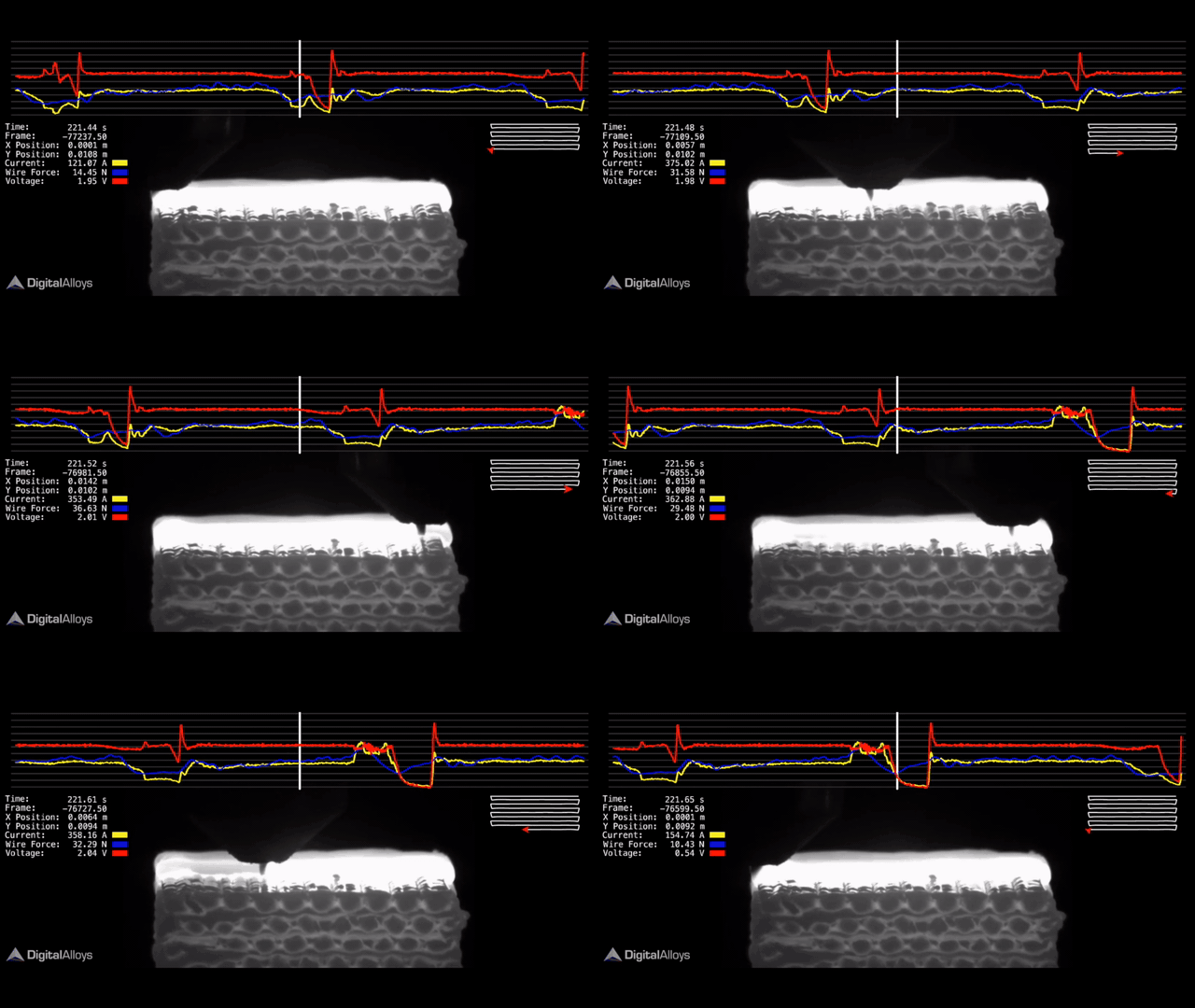
Joule Printing provides fine-grained real-time process control of the elements essential for quality metal 3D printing, and records data from the control system in real-time at millisecond intervals. Embedded algorithms control the three key elements:
The tight control of process parameters allows the system to deliver consistently dense (99.5%+), strong, isotropic parts. Printer Console logs the process data together with video of the print, configuration parameters, and other key measurements to provide the capability for post-print analysis.
After printing, the operator or QA technician can use the Foundry Operations Manager to retrieve data for any print run. A table of prints provides a real time view of activity with links to Data Analyzer. With a single click, the user can select a specific part ID to launch Data Analyzer and open a complete record of the print, including configuration data, video, and recorded process data. The rich platform and tool set of Data Analyzer is then used for QA & data analysis.
Data Analyzer allows viewing and analyzing data from the many sources captured in Foundry. It provides a simple GUI for selecting, filtering, and plotting data streams – eliminating the need to download data files to an external software package. Data Analyzer allows the creation of custom plots for process signals. The graphs can then be manipulated and navigated to focus the data on informative events (as shown in Figure 4). As an example, a QA technician could use this capability to identify regions where a print process deviated from preset operating bounds.
The capabilities of Data Analyzer—including the ability to explore correlations between process parameters, material properties and defects—provide a backbone for non-destructive quality assurance of printed parts. Data Analyzer provides a data backbone that will be used to power a machine learning approach to automating the QA process.
Sources: Press materials received from the company and additional information gleaned from the company’s website.


DE's editors contribute news and new product announcements to Digital Engineering. Press releases may be sent to them via [email protected].
Follow DE






About Us · Contact Us · Editorial Team · Advertising · Privacy Policy · Subscriber Services · © 2026 Digital Engineering 24/7 · Peerless Media