Helping design and engineering professionals discover, evaluate and specify technologies and processes that shorten the design cycle and enable success.


Sponsored
 Dear Desktop Engineering Reader:
 People wondered what would happen after Autodesk acquired HSM CAM software a while back. The HSMWorks for SOLIDWORKS application was a fan favorite, and the complimentary HSMXpress application was a bold and popular bit of strategy that seemed unlikely to survive. Well, the short of it is that both not only survived, they thrived. Today's Pick of the Week and the “more than a trial” download linked at the end will give you a good idea why.
The HSMWorks family comes in Professional and Premium editions. Although a teaser to get you interested in HSMWorks, HSMXpress is not a knuckleheaded demo unit. It's a real CAM application for 2.5-axis milling, making it a no-brainer to give it a shot.
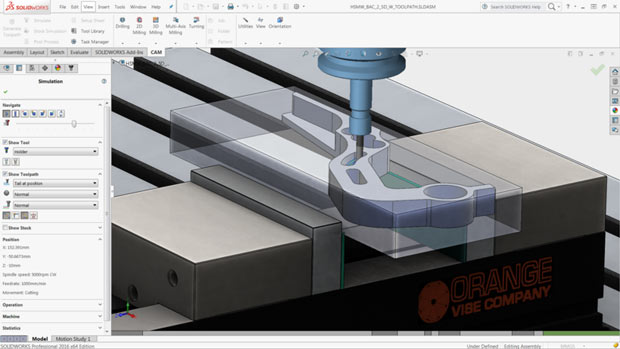
Both HSMWorks solutions offer users of SOLIDWORKS a palette of integrated CAM tools that use familiar workflows, so you're up and running quickly. They have full associativity with SOLIDWORKS models, and they support multiprocessor and multicore computing environments. There are features like stock, toolpath and milling machining simulation as well as the stuff you need for operations like drilling, counterboring and tapping operations.
HSMWorks Professional 2016 supports 3+2 strategies for CNC (computer numerically controlled) milling machines as well as turning support for CNC lathes. HSMWorks Premium 2016 builds off those features with simultaneous 5-axis machining capabilities. The latter includes functionality like swarf for machining using the side of the tool, multiaxis contour for machining along a contact curve and 3D toolpath tilting to reach deep cavity areas and small radii.
HSMWorks 2016 updates include SOLIDWORKS 2016 support, user experience improvements and better defaults management. Toolpath generation now offers morphed spiral, rest machining for turning, semi-automatic chamfering and automatic holder detection for adaptive clearing. Post-processing also sees a bunch of new functionality.
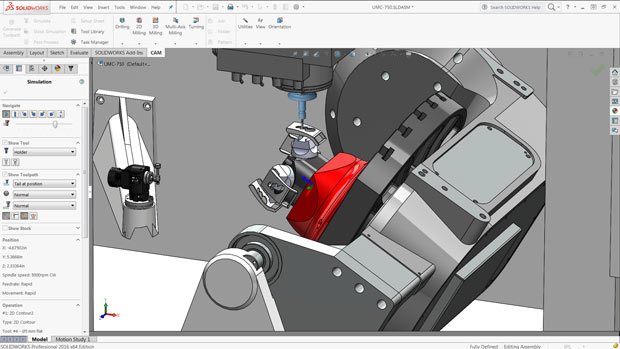 HSMWorks supports machine simulation for 2.5D, advanced 3D and 5-axis milling applications. Image courtesy of Autodesk Inc.
You can get the granular details about what's new in the HSMWorks for SOLIDWORKS 2016 from today's Pick of the Week write-up. But here are two things to keep in mind: One, HSM CAM technology now pervades Autodesk's manufacturing solutions. That includes Inventor HSM, the CAM capabilities within Fusion 360 and the Delcam CAD/CAM solutions among others. Two, even if you need more than 2.5-axis milling, HSMXpress 2016 costs nothing and, since it's a true CAM application, you're not going to find a better path to learning what HSM CAM technology is all about. Hit today's Pick of the Week link and go for it.
Thanks, Pal. – Lockwood
Anthony J. Lockwood
Editor at Large, Desktop Engineering


Anthony J. Lockwood is Digital Engineering's founding editor. He is now retired. Contact him via [email protected].
Follow DE
Join over 90,000 engineering professionals who get fresh engineering news as soon as it is published.






About Us · Contact Us · Editorial Team · Advertising · Privacy Policy · Subscriber Services · © 2026 Digital Engineering 24/7 · Peerless Media