Helping design and engineering professionals discover, evaluate and specify technologies and processes that shorten the design cycle and enable success.


Alert!
Digital Engineering ceased publication on July 1, 2026. This website remains available as an archive of engineering content.
For inquiries or information, please email [email protected].

May 2026 Special Focus: Artificial Intelligence in Design and Simulation
In this Special Focus Issue, learn about the latest developments in the integration of artificial intelligence into engineering workflows.

April 2026 Special Focus Issue: Generative Design
In this Special Focus Issue, Digital Engineering takes a look at how generative design solutions can be used across different types of design problems and with a variety of manufacturing approaches to accelerate design space exploration, and…
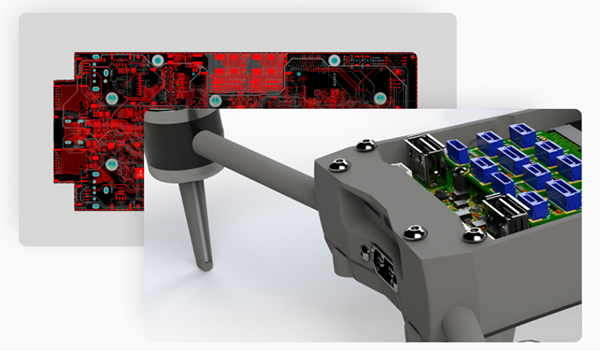
With Altium’s CoDesigner capability, electrical and mechanical engineers can communicate directly while working in their own respective design environments, pushing and reviewing changes bi-directionally in real time. To access CoDesigner, mechanical engineers simply download a free plug-in for their MCAD tool and then continuing to work with their native assemblies without leaving their MCAD environment.
“Export and import of files is what most EDA companies are calling co-design,” says Ted Pawela, chief ecosystem officer at Altium. “That’s like sending someone a letter in the mail and calling it collaboration.”
Altium’s CoDesigner capability keeps MCAD synchronized with ECAD so that electronic and mechanical design teams can truly work concurrently. To use, mechanical engineers only need to download a free plug-in from the Altium website or the MCAD plug-ins page inside Altium 365 for their specific MCAD tool. Once they’re ready to share, mechanical designers can just push/pull changes from their MCAD tools into the Altium ECAD space.
The CoDesigner capability eliminates the need for importing, exporting, or converting file formats—everything is built into Altium Designer and effortlessly accessible via Altium 365. Versions of CoDesigner are available for Dassault Systemès SolidWorks, PTC Creo, Autodesk Inventor, and Autodesk Fusion 360. Once the CoDesigner plug-in has been added to the ECAD and MCAD software, CoDesigner can pass design changes back and forth through Altium’s managed content server.
Altium says the ability to see MCAD data while working in the ECAD environment streamlines many typical tasks. An initial board setup—including holes, cutouts and “keep out” areas—may be quickly transferred to ECAD. Users can place mechatronic components in MCAD and then automatically place the corresponding full component footprint in ECAD.
Other tasks simplified by CoDesigner include transfer of copper (as decal or extruded bodies) and silkscreen transfer. Information from a data management system on the MCAD side can be easily placed in the ECAD drawing. Transfer changes are bidirectional; receiving engineers can accept or reject any change.
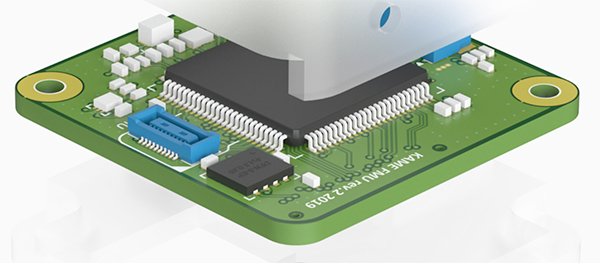
Learn more about Altium CoDesigner.
Sources: Press materials received from the company and additional information gleaned from the company’s website.

Altium develops software tools to empower and connect PCB designers, part suppliers and manufacturers to develop and manufacture electronics products faster and more efficiently. Altium’s leading PCB design software helps create collaboration…

DE's editors contribute news and new product announcements to Digital Engineering. Press releases may be sent to them via [email protected].
Follow DE






About Us · Contact Us · Editorial Team · Advertising · Privacy Policy · Subscriber Services · © 2026 Digital Engineering 24/7 · Peerless Media