Helping design and engineering professionals discover, evaluate and specify technologies and processes that shorten the design cycle and enable success.



May 2026 Special Focus: Artificial Intelligence in Design and Simulation
In this Special Focus Issue, learn about the latest developments in the integration of artificial intelligence into engineering workflows.

Design & Simulation Software Guide 2025
In this Special Issue, Digital Engineering presents its second annual guide to design and simulation software vendors.
Most designers and engineers today don't think twice about running basic stress analysis on their CAD models. Mainstream mechanical design software programs -- Autodesk Inventor, SolidWorks, Solid Edge, and PTC Creo, to name but a few -- offer integrated stress analysis, often at no additional cost. What was once considered specialists' domain is now second nature to general CAD users.
Simulation software developers are hoping, with intuitive interfaces and simplified dialog boxes, they can make general design engineers feel more comfortable performing advanced simulation tasks earlier during the design cycle. The aim is to encourage simulation-driven design -- the use of digital simulation to identify the best geometry for the product, be it a camera housing or a crane.
ANSYS, one of the leading names in simulation, believes the key is to demystify the setup process. One way to do that is to reduce the complex mechanical, thermal, and physical phenomenons into a series of items users can pick and choose from a drop-down menu.
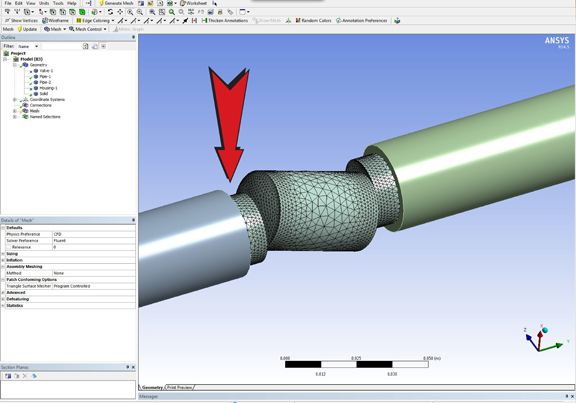
Gilles Eggenspieler, senior fluid product line manager for ANSYS, said, "For structural analysis, CFD simulation requires a model -- often in the form of a CAD file -- to be imported either automatically or manually into the simulation environment. Then you need to create the computational mesh of the fluid region, and set up the physics of the problem."
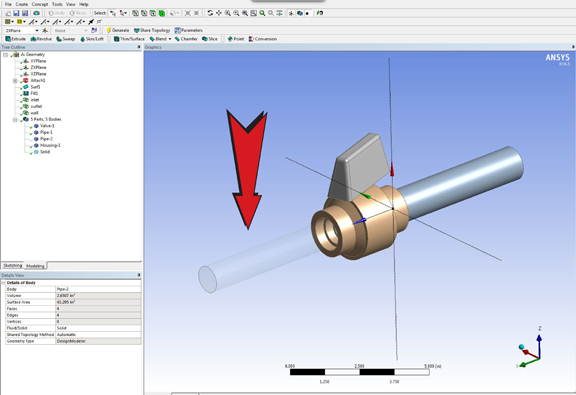
In the first episode of this video podcast series, "Introducing CFD to Design Engineers," Gilles dissects what he believes are the common stumbling blocks in pre-processing -- identifying the fluid volume, creating the mesh, setting up the turbulence model, boundary conditions, and thermal conditions. He uses a basic CFD problem -- analyzing the pressure exerted on a valve's wall by fluid flow -- to illustrate his points. The aim of such a simulation, he said, is to ensure that the structure of the valve can withstand the pressure from the fluid. (For more on ANSYS CFD products, go to http://www.ansys.com/Products/Simulation+Technology/Fluid+Dynamics.)
In the next episode, Gilles plans to review the results from this simulation, to help users understand the post-processing phase.


Kenneth Wong is Digital Engineering's resident blogger and senior editor. Email him at [email protected] or share your thoughts or suggestions at digitaleng.news/facebook.
Follow DE
Join over 90,000 engineering professionals who get fresh engineering news as soon as it is published.






About Us · Contact Us · Editorial Team · Advertising · Privacy Policy · Subscriber Services · © 2026 Digital Engineering 24/7 · Peerless Media