Helping design and engineering professionals discover, evaluate and specify technologies and processes that shorten the design cycle and enable success.



May 2026 Special Focus: Artificial Intelligence in Design and Simulation
In this Special Focus Issue, learn about the latest developments in the integration of artificial intelligence into engineering workflows.

April 2026 Special Focus Issue: Generative Design
In this Special Focus Issue, Digital Engineering takes a look at how generative design solutions can be used across different types of design problems and with a variety of manufacturing approaches to accelerate design space exploration, and…
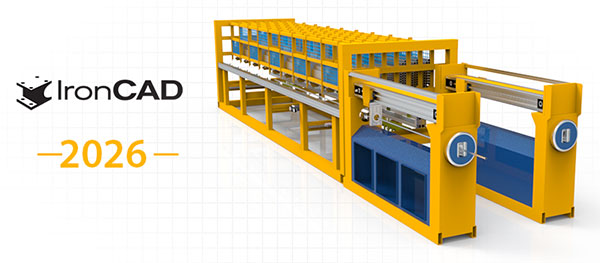
IronCAD has released IronCAD 2026. Designed to equip CAD designers in industrial equipment machinery and metal/steel fabrication manufacturing, this release introduces features to streamline workflows and enhance design precision.
Work across multiple monitors with dedicated 3D Scene and 2D Drawing windows, each featuring a tailored Ribbon Bar UI in the same single instance of IronCAD. Changes in the 3D Scene update instantly in the Drawing with a single click, enhancing multitasking, speeding up iterations, and improving the overall user experience.
IronCAD introduces a new add-on license for Smart Annotations, offering automated dimensioning with precise control. Users can define specific dimensioning locations on objects, supporting adjustments to models or components in patterns. These points enable precision in automated dimensioning, accelerating drawing creation, minimizing manual cleanup, and ensuring manufacturing-ready drawings.
IronCAD 2026 introduces Stage 2 of its AI capabilities with the AI Design Assistant Foundation, featuring enhanced Python scripting support. This includes:
Sources: Press materials received from the company and additional information gleaned from the company’s website.

IronCAD is a leading provider of 3D Design Productivity Solutions that deliver the highest levels of customer satisfaction and productivity. Solutions that can be used either standalone or as complimentary collaboration solutions of a broader PLM…

DE's editors contribute news and new product announcements to Digital Engineering. Press releases may be sent to them via [email protected].
Follow DE
Join over 90,000 engineering professionals who get fresh engineering news as soon as it is published.






About Us · Contact Us · Editorial Team · Advertising · Privacy Policy · Subscriber Services · © 2026 Digital Engineering 24/7 · Peerless Media