Helping design and engineering professionals discover, evaluate and specify technologies and processes that shorten the design cycle and enable success.



May 2026 Special Focus: Artificial Intelligence in Design and Simulation
In this Special Focus Issue, learn about the latest developments in the integration of artificial intelligence into engineering workflows.

April 2026 Special Focus Issue: Generative Design
In this Special Focus Issue, Digital Engineering takes a look at how generative design solutions can be used across different types of design problems and with a variety of manufacturing approaches to accelerate design space exploration, and…
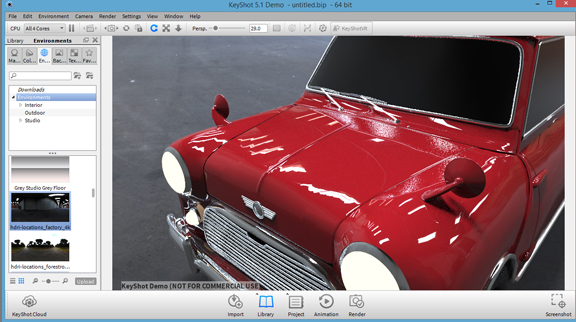
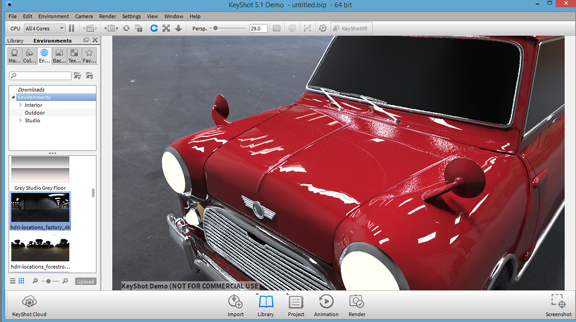 Luxion released KeyShot 5.1 this week.
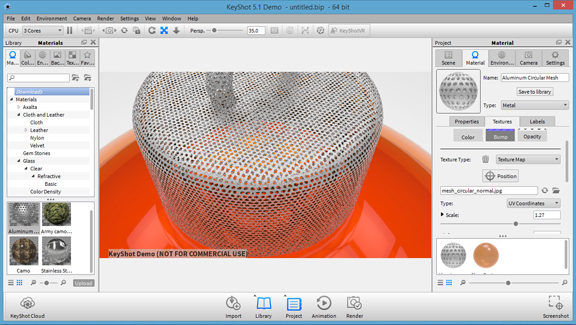 Procedural materials in KeyShot 5.1 offer a lot of customizing options.
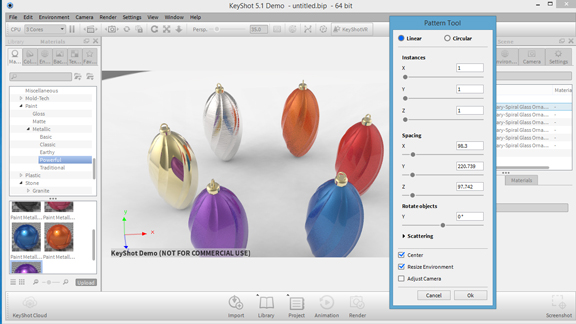 KeyShot 5.1's pattern tool lets you create multiple instances of the same object, which can be treated differently with materials.
This week, Luxion released KeyShot 5.1, a new version of its rendering program. The upgrade comes with, among other things, new procedural materials that offer a lot more customization options; and a patterning tool to easily create multiple instances of imported 3D objects.
KeyShot 5 (released in May) introduced KeyShot Cloud, a feature that lets you get access to downloadable assets hosted in the cloud. The on-demand library augments the materials, back plates, and environments that come with the installation. With Version 5.1, you get a lot more control over the look of some of the procedural materials. When working with materials like camouflage or brushed metal, you can use slider bars to adjust the texture mapping and density of patterns. This gives you the ability to configure the look of the materials to match the size of the 3D object.
If you need to duplicate a single object into a small group or cluster, before you choose the Copy and Paste option, you may want to check out KeyShot 5.1's Pattern tool. The tool lets you create multiple instances of a single object. But more important, you can treat each instance as a separate object. So the color and texture applied to the original object won't automatically show up on the rest of the pattern members. You may apply different materials and looks to all instances in the pattern.
Pattern tool gives you the ability to align spawned objects in a row or in a circular pattern. But what may also be useful is the scattering tool, which introduces randomness to the placement. This will particularly be handy if you're trying to create a flock or an army with the same random placement observable in reality.
KeyShot 5.1 follows the same tradition the original software established -- a simple, easy-to-use rendering program driven by physically accurate ray-traced rendering. Those who use the software on touch-enabled devices (such as Windows tablets) will have an easier time navigating the interface -- it now supports multi-touch. As you might expect with an incremental release, version 5.1 comes with a lot of tweaks and enhancements to provide a better user experience.
A trial version is available for download. For more, watch the video report below:


Kenneth Wong is Digital Engineering's resident blogger and senior editor. Email him at [email protected] or share your thoughts or suggestions at digitaleng.news/facebook.
Follow DE
Join over 90,000 engineering professionals who get fresh engineering news as soon as it is published.






About Us · Contact Us · Editorial Team · Advertising · Privacy Policy · Subscriber Services · © 2026 Digital Engineering 24/7 · Peerless Media