Helping design and engineering professionals discover, evaluate and specify technologies and processes that shorten the design cycle and enable success.



May 2026 Special Focus: Artificial Intelligence in Design and Simulation
In this Special Focus Issue, learn about the latest developments in the integration of artificial intelligence into engineering workflows.

April 2026 Special Focus Issue: Generative Design
In this Special Focus Issue, Digital Engineering takes a look at how generative design solutions can be used across different types of design problems and with a variety of manufacturing approaches to accelerate design space exploration, and…
Sometimes, correlating CAD and PLM (product lifecycle management) data makes me feel like a couple's counselor.
CAD likes to stretch its arcs and splines, stake out its place in 3D space, and strut its aesthetic form. It defines its boundaries, scopes, and constraints in precise measurements, as millimeters, inches, and degrees. On the other hand, PLM is the composite of an accountant, a stenographer, and a secretary. It keeps track of file traffics and ownership changes, deadlines and milestones, material costs and supplier quotes, and the messages that pass between project participants. Its vocabulary is made up of $ values, calender dates, contacts, and Excel sheets.
CAD calls the modeling kernel its home; PLM crashes on the couch of an Oracle or SAP database. Still, whenever CAD wants a change (say, an identical part from a new supplier), it's supposed to get permission from PLM. And if PLM (which often holds the purse string) switches a field from steel to plastic for cost control without consulting CAD, CAD goes into a tailspin when it finds out. They're like a bickering couple, sleeping in separate beds.
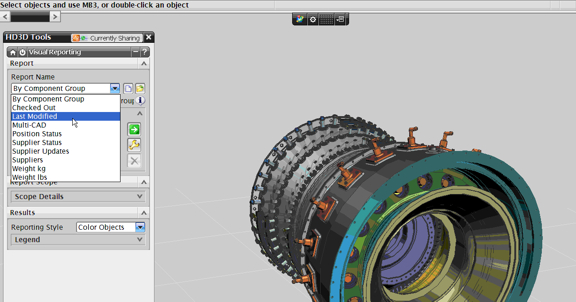
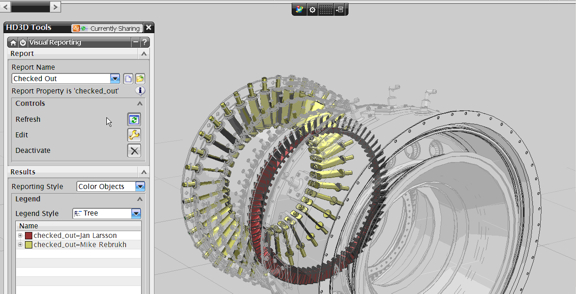
After watching a WebEx demonstration of NX7 with HD3D, I'm happy to announce that reconciliation between CAD and PLM is underway.
"HD3D provides a simple and intuitive way to collect, collate, and present information," according to Siemens PLM Software. "It provides visual reporting of Teamcenter-managed data, directly in the 3D product development environment, where it can be immediately applied in critical decision-making.
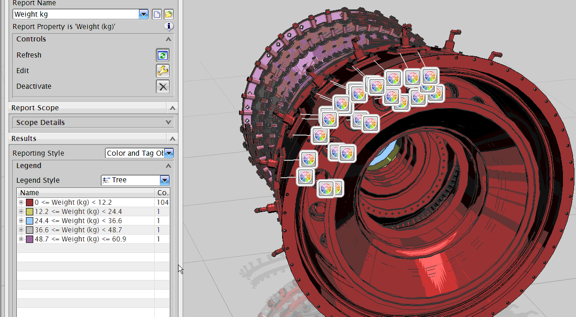
As I see it, HD3D lets you use the 3D CAD model as the interface to search, retrieve, and view lifecycle data (in the case of NX7, that's data housed in the associated Teamcenter PLM system). With HD3D, you can, for instance, isolate and display only the assembly components that are last modified, those that are past due for check in, or those from a specific supplier. (Think of it as doing in CAD what you could do in Google Maps, where you may turn on or turn off traffics, transits, nearby hotels, associated Wikipedia entries, and ground-level photos.)
Furthermore, HD3D lets you tag certain parts. Suppose you have discovered in a finite element analysis (FEA) experiment that the ribs on a part won't be able to withstand the anticipated load, you may tag the part with this information, much in the same way you would stick a post-it note with a scribbled warning if the part were physically present. Those who work on the part subsequently would be able to view your tag, respond to it, or add their own.
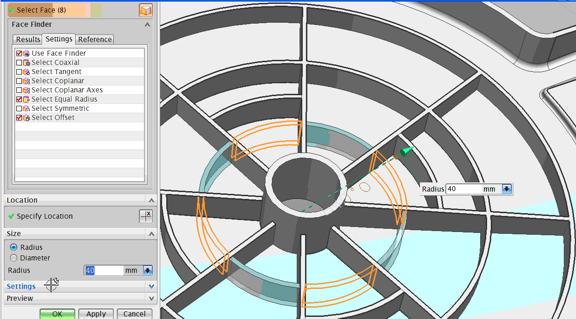
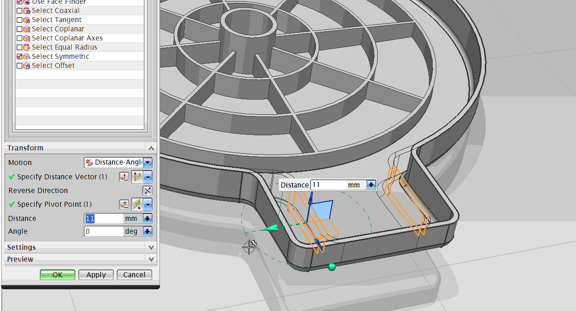
NX7 comes with the same Synchronous Technology direct-modeling functions that you've seen in the previous version. According to Siemens, technology in the latest release "streamlines the use of imported or translated geometry with new capabilities for face optimization and blend replacement. To optimize faces, the software simplifies surface types, merges faces, improves edge accuracy, and recognizes surface blends. NX 7.0 can also convert imported B-surfaces to rolling-ball blend faces, which are more easily edited with dimensional parameter changes. On native or imported models, designers can assign chamfer properties to angled faces and resize them, adding offsets and angles, regardless of the feature history."
A detailed review of NX7 with HD3D is scheduled to appear in an upcoming issue of Desktop Engineering.
For more on the software, read "NX for Mac Arrives," June 15, 2009.
For more on HD3D, watch Siemens PLM Software's promotional video clip below:


Kenneth Wong is Digital Engineering's resident blogger and senior editor. Email him at [email protected] or share your thoughts or suggestions at digitaleng.news/facebook.
Follow DE
Join over 90,000 engineering professionals who get fresh engineering news as soon as it is published.






About Us · Contact Us · Editorial Team · Advertising · Privacy Policy · Subscriber Services · © 2026 Digital Engineering 24/7 · Peerless Media