Helping design and engineering professionals discover, evaluate and specify technologies and processes that shorten the design cycle and enable success.


Alert!
Digital Engineering ceased publication on July 1, 2026. This website remains available as an archive of engineering content.
For inquiries or information, please email [email protected].

May 2026 Special Focus: Artificial Intelligence in Design and Simulation
In this Special Focus Issue, learn about the latest developments in the integration of artificial intelligence into engineering workflows.

April 2026 Special Focus Issue: Generative Design
In this Special Focus Issue, Digital Engineering takes a look at how generative design solutions can be used across different types of design problems and with a variety of manufacturing approaches to accelerate design space exploration, and…
Dear Desktop Engineering Reader:
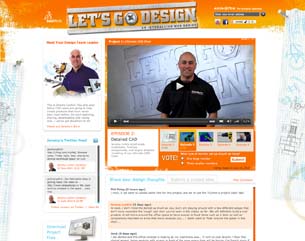 |
Ever watch one of those network TV shows where people dance or throw hissy fits on some island and viewers get to vote on who moves on? I don't. Tried, but I seem to fall asleep in about 40 seconds whenever I plunk myself in front of the tube, which is why I refer to it as the somnambulizer. I have not, however, fallen asleep watching SolidWorks' “Let's Go Design” broadcast series. This is a show for designing engineers, and episode 2 is now online. Once again, this is short (3 minutes 40-something seconds), informative, and fun.
To freshen your memory, “Let's Go Design” is an interactive web series where viewers are participants in the design of a never before built thing – in this case, the Ultimate CAD Chair. (Actually, it's the Ultimate Work Cubicle optimized for CAD mavens, but I shall not quibble.) A comment mechanism provides a forum for you to share your ideas with others, including the host, and you get to vote on parts of the project.
When we last left our host, Jeremy Luchini, and the “Let's Go Design” viewers, some preliminary sketches had been developed and ideas batted around. Component wish lists were assembled. After episode 1, viewers were asked to vote on whether they wanted more workspace or a guest chair. The guest chair lost by a landslide.
In episode 2, decisions have been made on some components such as a sound system -- which, really, how could you not have a sound system? Jeremy starts building some foam-core and rapid prototypes then moves on to some detailed 3D modeling. I particularly liked the tree stand that holds the keyboard and monitor. There also are examples of collision detection and rendering that are short, simple, and elegant.
How to handle the monitor is the question open to voting right now. Should the Ultimate CAD Chair have one big monitor or three small ones? Voting closes on the 16th, so time is short. Hit the link, check out episode 2 of “Let's Go Design, and get in on designing of the Ultimate CAD Chair. Remember to vote.
Thanks, Pal. -- Lockwood
Anthony J. Lockwood
Editor at Large, Desktop Engineering


Anthony J. Lockwood is Digital Engineering's founding editor. He is now retired. Contact him via [email protected].
Follow DE






About Us · Contact Us · Editorial Team · Advertising · Privacy Policy · Subscriber Services · © 2026 Digital Engineering 24/7 · Peerless Media