Helping design and engineering professionals discover, evaluate and specify technologies and processes that shorten the design cycle and enable success.


Alert!
Digital Engineering ceased publication on July 1, 2026. This website remains available as an archive of engineering content.
For inquiries or information, please email [email protected].

May 2026 Special Focus: Artificial Intelligence in Design and Simulation
In this Special Focus Issue, learn about the latest developments in the integration of artificial intelligence into engineering workflows.

Design & Simulation Software Guide 2025
In this Special Issue, Digital Engineering presents its second annual guide to design and simulation software vendors.
BETA CAE Systems has released SPDRM v1.8.1, which offers enhancements and fixes for its Simulation Process Data and Resources Management software.
Data Management
From now on, any Additional Attributes that are assigned to a simple file are automatically inherited when it is overwritten.
Script API
It is now possible for authorized users to get the "Last Seen" attribute for a user through the "um.getUserProfileInfo" script function.
Script Actions
Improved error handling when a script action with a wrong function name is executed.
Users Management—Security
The role of the active users is now displayed in a new column in the "Logged In Users" window.
Data Management
It was not possible to edit an external file (i.e., a file for which SPDRM only stores its path as a link), through a SPDRM client on Windows OS.
Process Management
On Windows OS, when executing an ANSA application node with "-i" option and Value Type "From input slot" in its Application Settings, the Input slot file would not be sent for opening in ANSA. This occurred when the file path contained forward slashes as path separators.
Data Views
An error could occur while trying to access the Pedigree of a Subsystem with Iteration (or any other versioning property) larger than 1.
Data Migration / Archival
During data migration, using the DM Import function, all non-STRING (e.g. FLOAT, ATTACHED_FILE) additional attributes would be stored as STRING in the target environment.
Updated Documents
Updated user's guide, Installation Guide, Scripting API guide, and REST API documentation.
From this version onward, the server application of SPDRM is available only for Linux 64bit. NOTE: Installation of SPDRM server application on MS Windows is not supported anymore.
The software requires a different license key to the rest of the products of BETA CAE Systems. This license key should be incorporated into the same license file, if such is already installed, and requires beta_lm, the proprietary license manager of BETA CAE Systems.
For details, refer to the System Requirements document.
Customers who are served directly by BETA CAE Systems, or its subsidiaries, may download the new software and documentation from their account on BETA CAE Systems' server. They can access their account through the "sign in" link at the website.
All files required for the installation of this version reside in the folder named: "SPDRM_v1.8.1" and are dated as of December 19, 2022.
Sources: Press materials received from the company and additional information gleaned from the company’s website.


BETA CAE Systems is a private engineering software company committed to the development of state of the art CAE software systems that meet the requirements of all simulation disciplines.
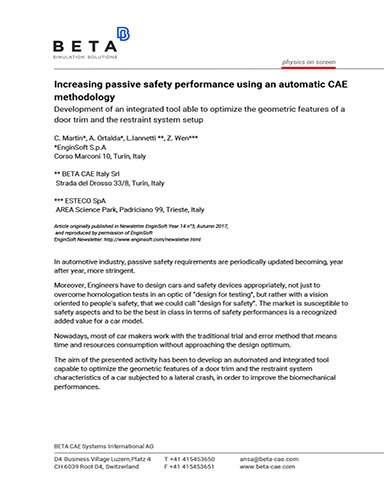
Increasing Passive Safety Performance Using an Automatic CAE Methodology
Development of an integrated tool able to optimize the geometric features of a door trim and the restraint system setup.

DE's editors contribute news and new product announcements to Digital Engineering. Press releases may be sent to them via [email protected].
Follow DE
Join over 90,000 engineering professionals who get fresh engineering news as soon as it is published.






About Us · Contact Us · Editorial Team · Advertising · Privacy Policy · Subscriber Services · © 2026 Digital Engineering 24/7 · Peerless Media