Helping design and engineering professionals discover, evaluate and specify technologies and processes that shorten the design cycle and enable success.


Alert!
Digital Engineering ceased publication on July 1, 2026. This website remains available as an archive of engineering content.
For inquiries or information, please email [email protected].
Sponsored
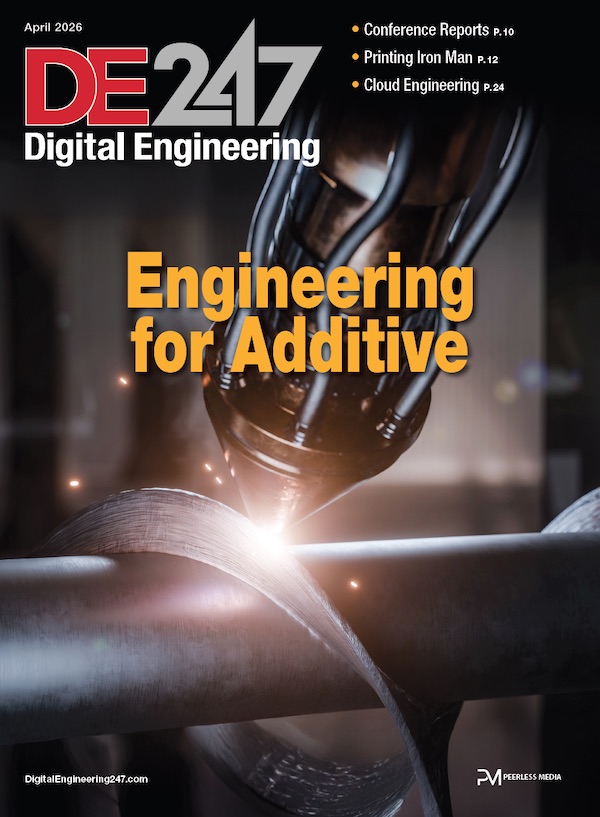
Digital Engineering April 2026
In the latest issue of Digital Engineering, we take a look at the latest innovations in design for additive manufacturing, including the use of natural language inputs, social media cosplayers, and AI integration. The issue also includes a feature…

January Special Focus Issue: Design for Additive
In this Special Focus Issue of Digital Engineering, learn about the latest advancements in design for additive manufacturing, including new software tools, additive in automotive, custom medical devices, and more.

 Dear DE Reader:
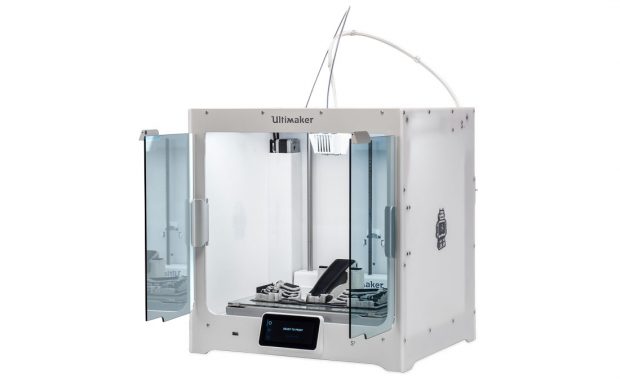
If you work in a small- or mid-sized engineering outfit, finding a professional-level, desktop 3D printer that you can afford and that can handle a lot of different jobs can seem tough to find. From the get-go, Ultimaker has made it their mission to bring pro-level, accessible 3D printers to the designer's, engineer's and manufacturer's workbench. These guys just came out with a new 3D printing system that could be what you're looking for.
The Ultimaker S5 can fit on the desktop, a shelf or in a rack yet it has a roomy 12.99x9.45x11.81-in. build volume. It can 3D print parts in an assortment of materials, including PLA (polylactic acid) and advanced engineering plastics like nylon and PC (polycarbonate).
The company also introduced a new material with the Ultimaker S5. Called Tough PLA, this filament is said to provide toughness similar to ABS (acrylonitrile butadiene styrene) thermoplastic. The upshot of this material flexibility is that, depending upon the material you use and the job at hand, you can have the Ultimaker 5S 3D print functional prototypes, manufacturing tools as well as your end-use parts.
Which is pretty neat to begin with, but this baby has other nice features that defy its hair-less-than $6k price tag. For example, it has dual extrusion printheads and bed leveling. The latter is engineered to get the first layer absolutely right and then ensure that each subsequent layer follows suit by continually adjusting the print bed during printing.
You can swap printheads in and out for different applications. Depending on the nozzle you use, layer resolution ranges from 150 to 60 microns to 600 to 20 microns. This 3D printer also has a live camera monitoring system accessible from your desktop and an app.
Speaking of accessibility, it comes with a front-panel touchscreen user interface, Wi-Fi connectivity and print preparation software. A new mobile app lets you monitor a job's progress, and it sends notifications when a job is done or the printer needs some sort of attention. It comes with software that lets you link up and manage operations across multiple units.
The Ultimaker S5 has more features and functionality that should appeal to the design and engineering office, many of which you can learn about in today's Editor's Pick of the Week write-up. Make sure to hit the link to the video overview of its key features. Good stuff.
Thanks, Pal. – Lockwood
Anthony J. Lockwood, Editor at Large, DE


From the very beginning, our mission has been to accelerate the world’s transition to local manufacturing and digital distribution. Our passion is to deliver a 3D printing system that drives business success across the world. That’s why…

Insider Q&A: 3D Printing End Use Parts
In this Insider Q&A, the experts at Ultimaker explain how 3D printing can be used for spare parts, jigs and fixtures in a production environment.

Anthony J. Lockwood is Digital Engineering's founding editor. He is now retired. Contact him via [email protected].
Follow DE
Join over 90,000 engineering professionals who get fresh engineering news as soon as it is published.






About Us · Contact Us · Editorial Team · Advertising · Privacy Policy · Subscriber Services · © 2026 Digital Engineering 24/7 · Peerless Media