Helping design and engineering professionals discover, evaluate and specify technologies and processes that shorten the design cycle and enable success.


Alert!
Digital Engineering ceased publication on July 1, 2026. This website remains available as an archive of engineering content.
For inquiries or information, please email [email protected].
Sponsored
 Dear Desktop Engineering Reader:
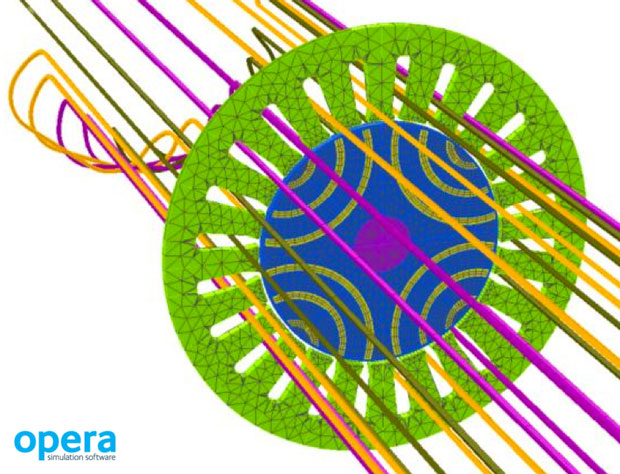
 Cobham recently released version 18 of its Opera electromagnetic and multiphysics design software suite. Opera is a general-purpose finite element analysis (FEA) tool chest for the design and optimization of electromagnetic devices in two or three space dimensions that’s suitable for use in small outfits as well as large companies. The theme for this release is making everything faster and easier to use so that you’re more productive. There’s a bunch of goodies in version 18 that made it today’s Pick of the Week selection. Here are three of them.
Opera 18 debuts a new Winding tool that should save you tons of development time. What this tool does is help you evaluate the feasibility and efficiency of different coil winding configurations and their impact on rotating electrical machine performance in rich detail before you run an FEA job. The tool also has a wizard that creates a report of all feasible windings for a range of slots and poles that you specify. Current users will be interested to know that the Winding tool is available in both the 2D and 3D Opera packages.
The Opera-3d Modeler sees a new drag-and-drop tool that should make preparing data for a sequence of analyses simpler. With this tool, you can add or remove specific analysis stages to your analysis sequence list using drag-and-drop editing. The tool offers instant visual feedback on the validity of your changes, and you can change the properties and parameters of analysis stages when working in the tool’s environment. You can also save individual analysis stages and use them in other sequences.
A third new tool introduced in Opera 18 focuses on making it simpler to set up advanced multiphysics simulations. The new Analysis Setup tool lets you set up a chain of electromagnetic, thermal and stress analysis simulations. It has virtually no limit on complexity or sequences, loops are allowed and the results from one simulation pass to the next automatically. When you work with coils, Opera 18 adjusts to any changes in current density values due to shape deformation automatically.
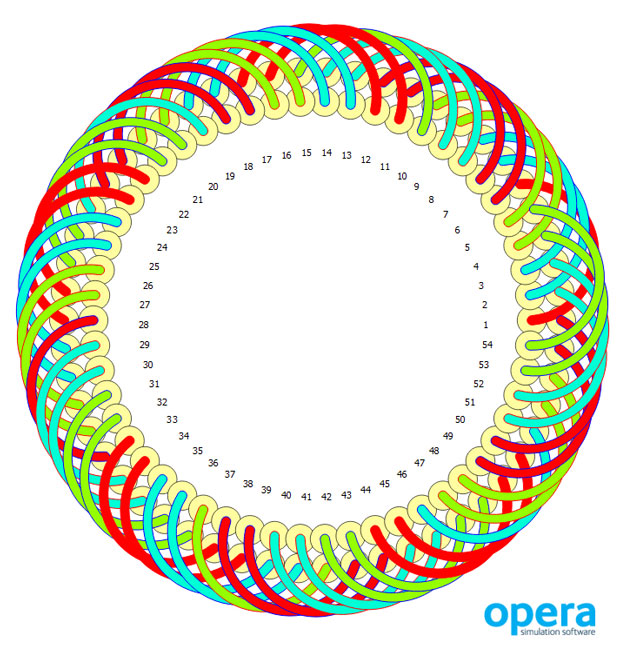 Opera version 18 introduces a new Winding tool that enables users to assess different winding configurations in rotating electrical machines. Image courtesy of Cobham.
Opera 18 offers many other new features that should make it easier to use and boost your productivity. You can learn more about them in today’s Pick of the Week write-up and from the links at the end. Good stuff.
Thanks, Pal. – Lockwood
Anthony J. Lockwood
Editor at Large, Desktop Engineering


Anthony J. Lockwood is Digital Engineering's founding editor. He is now retired. Contact him via [email protected].
Follow DE






About Us · Contact Us · Editorial Team · Advertising · Privacy Policy · Subscriber Services · © 2026 Digital Engineering 24/7 · Peerless Media