Helping design and engineering professionals discover, evaluate and specify technologies and processes that shorten the design cycle and enable success.


Alert!
Digital Engineering ceased publication on July 1, 2026. This website remains available as an archive of engineering content.
For inquiries or information, please email [email protected].
Sponsored
 Dear Desktop Engineering Reader:
 Sutton's Law, named after Willie Sutton who purportedly said he robbed banks because that's where the money is, could be called the “Duh Law.” Basically, it says that when you're testing something out, confirm or eliminate the obvious first. Duh. Lots of engineering outfits wonder if affordable 2D drawing/3D editing and modeling software can handle their workflow but never check it out. Today's Pick of the Week provides a link to a complimentary trial so that you can confirm what's obvious to many shops: Affordable 2D/3D CAD has a lot to offer.
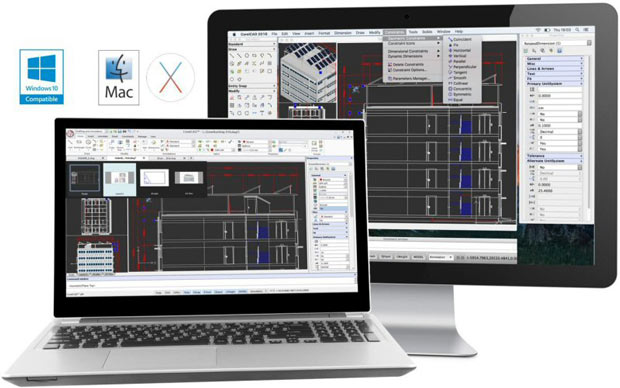
The nub of today's Pick of the Week is that Corel has released CorelCAD 2016, its affordable 2D/3D design software for Mac and Windows workstations. CorelCAD is built on Graebert's ARES CAD platform, and Graebert is a technology partner with many other mainstream and enterprise CAD developers. For years, CorelCAD has been known for its excellent support for native DWG file formats, which is one obvious reason why many outfits use it for CAD file collaboration in-house and with clients.
So what's the definition of affordable? Less than 700 bucks.
That said, CorelCAD 2016 seems to offer all sorts of enhancements that make it productive and easy for you to use. Take its new Quick Input feature. It lets you set up a command interface in projects using your cursor in the drawing area. When you invoke the Quick Input feature, CorelCAD brings commands directly to your cursor as you move it.
Another new feature that sounds helpful is Annotative Scaling. Here, you can keep text viewable no matter how small or large you make design elements. CorelCAD 2016 also has a new Layer States Manager function that lets you hold drawing display states nearby with the ability to save, restore and manage the configuration of layer properties and states.
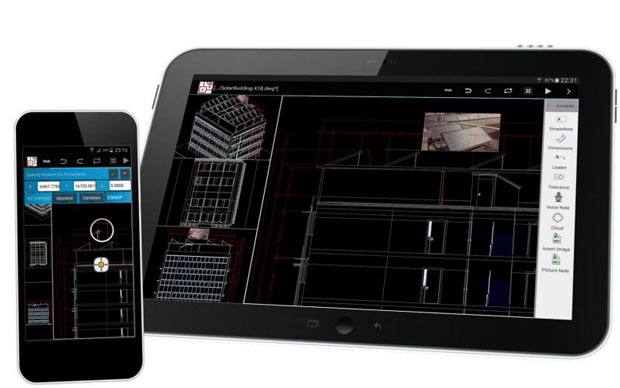 With the introduction of CorelCAD 2016, Corel Corp. also announced the upcoming release of CorelCAD Mobile for Android tablet devices. Image courtesy of Corel Corp.
Cool aside: When Corel disclosed version 2016, it also announced the upcoming release of the new CorelCAD Mobile app for Android tablet devices. Corel says it will have a full set of 2D drawing, editing and 3D viewing tools and annotation capabilities.
CorelCAD 2016 has many other interesting things going on that you can learn about in today's Pick of the Week write-up. Still, the obvious thing is to go download a complimentary trial version of CorelCAD and stop wondering if it has a role to play in your workflow.
Thanks, Pal. – Lockwood
Anthony J. Lockwood
Editor at Large, Desktop Engineering


Anthony J. Lockwood is Digital Engineering's founding editor. He is now retired. Contact him via [email protected].
Follow DE






About Us · Contact Us · Editorial Team · Advertising · Privacy Policy · Subscriber Services · © 2026 Digital Engineering 24/7 · Peerless Media