Helping design and engineering professionals discover, evaluate and specify technologies and processes that shorten the design cycle and enable success.


Alert!
Digital Engineering ceased publication on July 1, 2026. This website remains available as an archive of engineering content.
For inquiries or information, please email [email protected].

May 2026 Special Focus: Artificial Intelligence in Design and Simulation
In this Special Focus Issue, learn about the latest developments in the integration of artificial intelligence into engineering workflows.

April 2026 Special Focus Issue: Generative Design
In this Special Focus Issue, Digital Engineering takes a look at how generative design solutions can be used across different types of design problems and with a variety of manufacturing approaches to accelerate design space exploration, and…
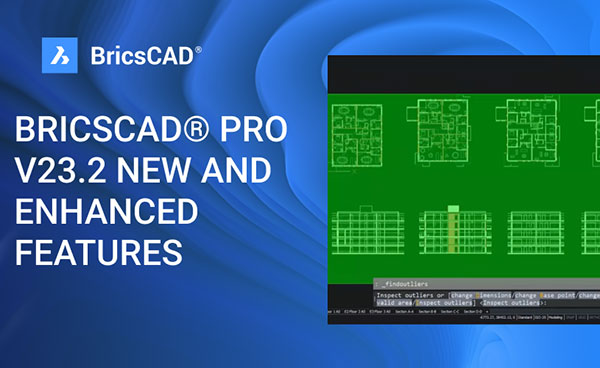
BricsCAD V23.2 from Bricsys has new features and enhancements that make CAD design easier and more intuitive. Following are some of the updated features, and how to use them.
One of the biggest updates to BricsCAD V23.2 is the enhanced QT-based Ribbon. While this feature is optional for now, it will become the default in V24. The new ribbon is more modern, with a search bar and comfortable icon spacing. It also highlights commands from other ribbons when you search for a term.
How to use it:
Type "USENEWRIBBON" command in the command line.
Set the value to 1 and press Enter.
The enhanced QT-based Ribbon will be enabled.
Use the search bar to find commands.
Commands with the search term will be highlighted not just on the current ribbon but on other ribbons as well.
To switch between layout styles, ribbon styles, panel systems, and to turn the new ribbon on/off, click on the interface settings option.
The OPTIMIZE command UX has been reworked, with input options that are more useful, intuitive, offer greater control and are easier to understand. The new UX features information icons that explain options more clearly and the visual feedback when drawing a gap tolerance has been enhanced, making it easier to understand what’s happening in the design.
Use the OPTIMIZE command UX by typing “_optimize” in the command line.
Select your input options.
Tip! Hover over the information icons to see an explanation of the options.
Click here for more product details.
Sources: Press materials received from the company and additional information gleaned from the company’s website.

As a full-fledged 2D & 3D CAD software program, BricsCAD offers professionals one of the most advanced and intuitive drawing and modeling solutions out there. Available in three editions and open to third-party developers, it is beyond any…

DE's editors contribute news and new product announcements to Digital Engineering. Press releases may be sent to them via [email protected].
Follow DE
Join over 90,000 engineering professionals who get fresh engineering news as soon as it is published.






About Us · Contact Us · Editorial Team · Advertising · Privacy Policy · Subscriber Services · © 2026 Digital Engineering 24/7 · Peerless Media