Helping design and engineering professionals discover, evaluate and specify technologies and processes that shorten the design cycle and enable success.


Alert!
Digital Engineering ceased publication on July 1, 2026. This website remains available as an archive of engineering content.
For inquiries or information, please email [email protected].


May 2026 Special Focus: Artificial Intelligence in Design and Simulation
In this Special Focus Issue, learn about the latest developments in the integration of artificial intelligence into engineering workflows.

April 2026 Special Focus Issue: Generative Design
In this Special Focus Issue, Digital Engineering takes a look at how generative design solutions can be used across different types of design problems and with a variety of manufacturing approaches to accelerate design space exploration, and…
Onshape introduces CAM Studio Beta to the Onshape platform, with AWS. This release represents a significant platform expansion, adding comprehensive manufacturing capabilities to PTC’s fully cloud-native product development solution, the company says.
Note: CAM Studio is currently in beta.
CAM Studio adds manufacturing capabilities directly within the Onshape environment. This new workspace provides the tools manufacturing engineers and machinists need to transform designs into machine-ready geometry, according to Onshape.
In CAM Studio, there is support for 2.5-axis and basic 3-axis machining operations. The toolpath generation engine handles basic facing operations to complex adaptive clearing strategies.
Onshape has built a comprehensive post-processor, machine, and tool library that supports common machines and machining operations. For those needing more customization, you can create your own custom tools. CAM Studio also includes several simulation options, including a fully integrated machine simulation environment. These tools help you verify everything before sending it to the shop floor.
Fine-tune cutting parameters based on your specific material and tooling requirements. Also, the stock definition system helps you visualize exactly how material will be removed with each operation.
You can experiment with different tools and cutting strategies. Once satisfied with your setup, generating G-code is straightforward, and the system maintains a clear connection between your CAD model and manufacturing operations.
While CAM Studio operations are limited to one user at a time within a workspace, all team members maintain access to view manufacturing data and related documentation.
The integration of CAM Studio with Onshape’s cloud architecture brings advantages to manufacturing processes:
Ease-of-Access
Since CAM Studio is fully integrated with Onshape, there’s no complex setup process to worry about. You won’t need to provision special hardware or manage software installations across your organization—if you can run Onshape, you can run CAM Studio.
Updates and maintenance happen automatically in the background, so you’ll always have access to the latest features.This is delivered through your browser, making CAM Studio instantly accessible from any workstation that meets Onshape’s basic system requirements.
Up-to-Date Design Information
When your design team updates a model, you’ll see those changes almost immediately. Our version control system tracks the design changes andyour manufacturing strategies as well, giving you a complete history of how parts evolve from concept to production.
Since everything runs in your browser, you can access your manufacturing data from anywhere with an internet connection.
For more on CAM Studio Beta, click here.
Sources: Press materials received from the company and additional information gleaned from the company’s website.


Onshape’s modern CAD system frees engineers to focus on doing their best work. Unlike old CAD systems, Onshape unites modeling tools and design data management in a secure cloud workspace that is accessible on any device, never loses data, and…
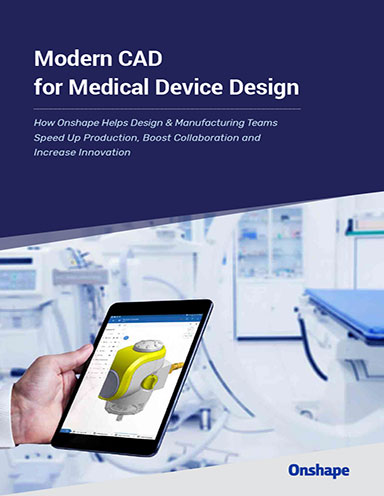
Modern CAD for Medical Device Design
In this eBook, you’ll read insights from three successful companies who recently switched to a modern, cloudbased CAD system.

DE's editors contribute news and new product announcements to Digital Engineering. Press releases may be sent to them via [email protected].
Follow DE






About Us · Contact Us · Editorial Team · Advertising · Privacy Policy · Subscriber Services · © 2026 Digital Engineering 24/7 · Peerless Media