Helping design and engineering professionals discover, evaluate and specify technologies and processes that shorten the design cycle and enable success.


Sponsored

May 2026 Special Focus: Artificial Intelligence in Design and Simulation
In this Special Focus Issue, learn about the latest developments in the integration of artificial intelligence into engineering workflows.

Design & Simulation Software Guide 2025
In this Special Issue, Digital Engineering presents its second annual guide to design and simulation software vendors.
Boy, has simulation come a long way. For decades, multiphysics simulation was the principal domain of those with a Ph.D. as well as simulation experts, who have been tackling the most challenging design problems. Multiphysics simulation evolved with capabilities that allowed these same experts to turn models into simulation applications that would be accessible—and beneficial—for others in the design chain, including non-simulation-savvy users in manufacturing, procurement or the test labs.
Those simulation apps, created with COMSOL Multiphysics and deployed using COMSOL Server, opened up a whole new world for product teams. The dynamic duo’s ability to create and distribute customized apps built by in-house simulation experts means teams can spread the benefits of simulation throughout the organization, making it pervasive during the entire design process and aiding in creating higher quality and more innovative products. The development was a pretty huge leap in democratizing simulation.
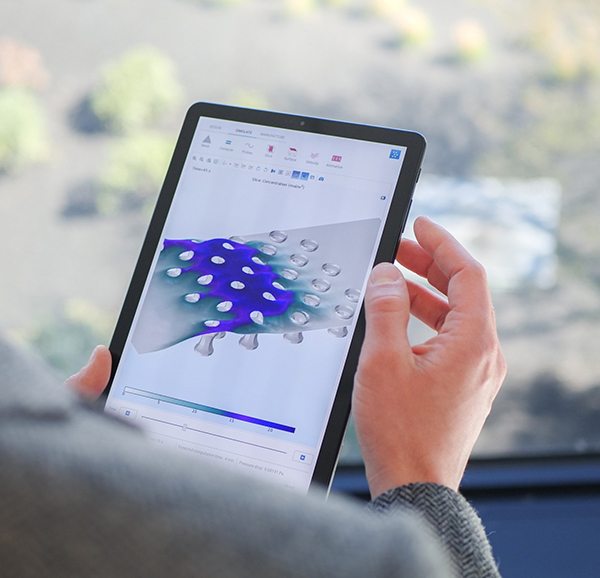
Guess what? COMSOL just took another step to make simulation accessibility even easier for more people. The company just rolled out the COMSOL Client for Android, which allows any simulation app deployed with COMSOL Server to run natively on any Android device, including tablets and phones. The offerings enable anyone—could be students, engineers, researchers, your mother—to perform simulation tasks from wherever they are, facilitating collaboration and infusing simulation deeper into the design process.
With simulation apps already untethering simulation users from the desktop, what’s the big deal about a specific app for Android rather than access from a web browser? The answer is easy—it boils down to user experience. With the COMSOL Server approach, everyday design engineers and others who are not simulation experts gain access to whatever simulation app they need on an Android device. This deployment scenario delivers a significant level of freedom because users can work effectively off-site at a client's office or in a remote location. All that’s required is to log on to the simulation app from a laptop or other mobile device, and voila, you have access to the simulation model.
Running a simulation on a mobile device from a web browser isn’t the ideal user experience since it doesn't give you the standard Android options of automatic full screen and easy task switching. COMSOL Client for Android, on the other hand, makes the experience of running simulation apps much smoother and snappier. The native Android client also means the simulation app looks and feels more like the other apps on your mobile device. In addition, you can save a shortcut for your favorite simulation app to the Android device's home screen. The idea is that interacting with your COMSOL simulation app and FEA model should be as familiar and easy as hailing a car in Uber.
To be clear, these simulation apps, while streamlined and simplified with just a handful of edit fields and a few select buttons, are still highly complex and demand significant processing power on the computing end. But with the COMSOL Server architecture for COMSOL Client for Android, the processing happens on a server in the background, masking the complexity and providing a streamlined experience that welcomes all kinds of users to get on board with simulation. For that reason, you should check it out.
—DE Editors


COMSOL is a global provider of simulation software for product design and research to technical enterprises, research labs, and universities. Its COMSOL Multiphysics® product is an integrated software environment for creating physics-based models…

Ebook download: Powering Clean Energy Solutions
In this ebook, we explore 6 cases where modeling and simulation were used to help overcome these new design challenges. Topics include water turbines, sand-based heat storage, hydrogen fuel cells, and more.

DE's editors contribute news and new product announcements to Digital Engineering. Press releases may be sent to them via [email protected].
Follow DE
Join over 90,000 engineering professionals who get fresh engineering news as soon as it is published.






About Us · Contact Us · Editorial Team · Advertising · Privacy Policy · Subscriber Services · © 2026 Digital Engineering 24/7 · Peerless Media