Helping design and engineering professionals discover, evaluate and specify technologies and processes that shorten the design cycle and enable success.


Alert!
Digital Engineering ceased publication on July 1, 2026. This website remains available as an archive of engineering content.
For inquiries or information, please email [email protected].

Digital Engineering April 2026
In the latest issue of Digital Engineering, we take a look at the latest innovations in design for additive manufacturing, including the use of natural language inputs, social media cosplayers, and AI integration. The issue also includes a feature…

January Special Focus Issue: Design for Additive
In this Special Focus Issue of Digital Engineering, learn about the latest advancements in design for additive manufacturing, including new software tools, additive in automotive, custom medical devices, and more.
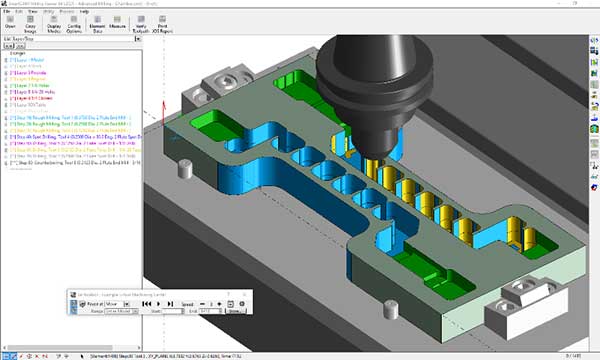
SmartCAM v2021 has been launched by SmartCAMcnc.
Major highlights include:
New: Layer Manager—A new Layer Manager has been added. CAD Layer management becomes simpler, more efficient and faster.
New: Toolbar Button Editor—A new Toolbar Button Editor has been added. Preferred Toolbar content is easier to setup than previously.
Windows File Open / Save—File Open / Save dialog now uses the standard Windows 10 format.
Image Token Added—Images can be incorporated in SmartCAM Visual Customization ToolKit (the VCTK) panels and dialogs.
Check Distance—Tool Check Distances can now be set in the Planner.
Job Information—The Job Information panel has a new Created For data field.
Additional Code Generator Words—Additional Code Generator Words become avaliable at SmartCAM v2021.
Subroutine handling—Additional functions for processing subprograms.
Stepover Calculation—A new function to help calculate tool stepover values.
ACIS—Update to ACIS v2020.
Includes support for Solid Edge Version 2020 CAD files.
Customization Guide—The Customization Guide is now a part of Learning SmartCAM.
Sources: Press materials received from the company and additional information gleaned from the company’s website.


DE's editors contribute news and new product announcements to Digital Engineering. Press releases may be sent to them via [email protected].
Follow DE






About Us · Contact Us · Editorial Team · Advertising · Privacy Policy · Subscriber Services · © 2026 Digital Engineering 24/7 · Peerless Media