Helping design and engineering professionals discover, evaluate and specify technologies and processes that shorten the design cycle and enable success.


Alert!
Digital Engineering ceased publication on July 1, 2026. This website remains available as an archive of engineering content.
For inquiries or information, please email [email protected].

May 2026 Special Focus: Artificial Intelligence in Design and Simulation
In this Special Focus Issue, learn about the latest developments in the integration of artificial intelligence into engineering workflows.

April 2026 Special Focus Issue: Generative Design
In this Special Focus Issue, Digital Engineering takes a look at how generative design solutions can be used across different types of design problems and with a variety of manufacturing approaches to accelerate design space exploration, and…
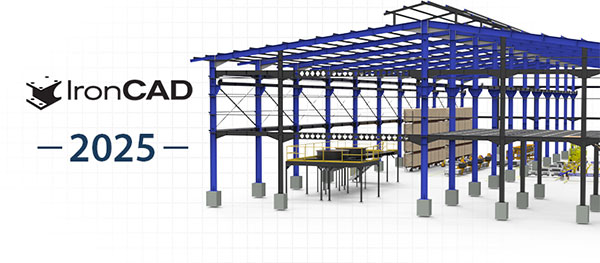
With the launch of IronCAD 2025, look for a release that includes hundreds of features and improvements to streamline CAD design processes. This update incorporates advancements in 3D modeling, sheet metal, technical drawings, and new user learning, for application in mechanical equipment, machinery, and metal fabrication design industries.
Quick Access Favorites Catalog: Introducing the Favorites Catalog, a feature that provides quick access to commonly used catalog items, enhancing workflow efficiency. If you find yourself using the same catalog items over and over, right-click the catalog item and add it to your Favorites Catalog. The Favorites Catalog, quickly accessed by the “C” hotkey, streamlines your workflow by integrating directly into the interface for quick access to your favorite items. With drag-and-drop functionality, it allows use of elements across designs. I enables multiple shape placements without extra steps.
Advanced Centerline Loft: The new “Advanced Centerline Loft” feature allows designers to sweep two profiles along a path, building on the existing “Loft with Centerline” command.
Interference Detection List and Editing with the TriBall and IntelliShapes: This enhancement improves the detection and editing of interferences.
Quick Bend Command for Multiple Edge Creation: The new Quick Bend command simplifies the process of adding bends to sheet metal parts by allowing multiple edges to be selected and bent simultaneously. This command allows you to set bend parameters such as angle, radius, and alignment in a single step. Accessible via the Ribbon under the Sheet Metal page, it features a user-friendly interface with a new UI for easy body selection and linking. Additionally, the command offers detailed options to customize edge selection, display bend lengths, and adjust alignment.
For more product detail, visit here.
Sources: Press materials received from the company and additional information gleaned from the company’s website.

IronCAD is a leading provider of 3D Design Productivity Solutions that deliver the highest levels of customer satisfaction and productivity. Solutions that can be used either standalone or as complimentary collaboration solutions of a broader PLM…

DE's editors contribute news and new product announcements to Digital Engineering. Press releases may be sent to them via [email protected].
Follow DE
Join over 90,000 engineering professionals who get fresh engineering news as soon as it is published.






About Us · Contact Us · Editorial Team · Advertising · Privacy Policy · Subscriber Services · © 2026 Digital Engineering 24/7 · Peerless Media