Helping design and engineering professionals discover, evaluate and specify technologies and processes that shorten the design cycle and enable success.


Alert!
Digital Engineering ceased publication on July 1, 2026. This website remains available as an archive of engineering content.
For inquiries or information, please email [email protected].

May 2026 Special Focus: Artificial Intelligence in Design and Simulation
In this Special Focus Issue, learn about the latest developments in the integration of artificial intelligence into engineering workflows.

April 2026 Special Focus Issue: Generative Design
In this Special Focus Issue, Digital Engineering takes a look at how generative design solutions can be used across different types of design problems and with a variety of manufacturing approaches to accelerate design space exploration, and…
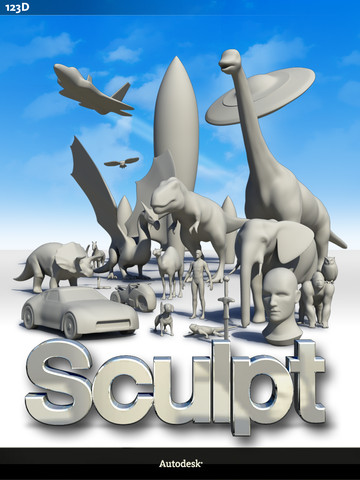
That particular puzzle piece may have been provided by Autodesk 123D Sculpt , an app for the iPad. In place of complex CAD programs, 123D uses the touch screen technology of the iPad to allow users to create 3D images just by drawing them with a finger.
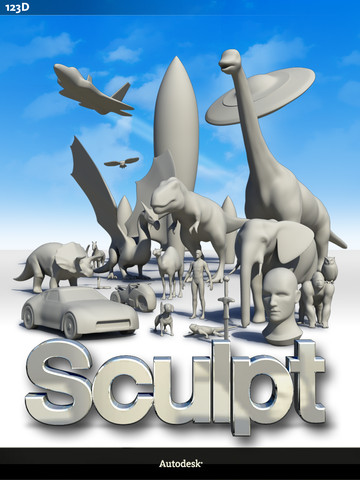
We aren’t talking about fuzzy images or low resolution that would make poor files to print from, either. The images created with the new app are highly detailed and customizable. Individual colors can be added to different parts of the models to create fairly realistic digital sculptures.
The entire mesh frame can be manipulated at any time during the creation process, allowing for tweaks as the whole advances. Further, the portable nature of the iPad also means you aren’t tied to your desk during creation.
Even for people with modest drawing skills, the app could still be useful. Users could download a 3D image created by someone else and alter it to fit their own needs.
Some of the promise of this new program is still unfulfilled. The current iteration doesn’t allow files to be exported. I’d be surprised if that particular problem remained unresolved for very long. The possibility to be productive while traveling or remote is blunted without an export function, and Autodesk must realize that.
Don’t take my word for it, though. Try it out for yourself. The app is currently available for free at the Apple app store. I’d love to hear from designers after they’ve tried the program if they think 123D Sculpt shows as much promise as I think it does.
Below you’ll find a short video that demonstrates the app.
Source: Autodesk


John Newman is a Digital Engineering contributor who focuses on 3D printing. Contact him via [email protected] and read his posts on Rapid Ready Technology.
Follow DE






About Us · Contact Us · Editorial Team · Advertising · Privacy Policy · Subscriber Services · © 2026 Digital Engineering 24/7 · Peerless Media