Helping design and engineering professionals discover, evaluate and specify technologies and processes that shorten the design cycle and enable success.


Alert!
Digital Engineering ceased publication on July 1, 2026. This website remains available as an archive of engineering content.
For inquiries or information, please email [email protected].

Artificial Intelligence for Design and Engineering Workflows
In this white paper, learn how artificial intelligence and machine learning can improve design and simulation.
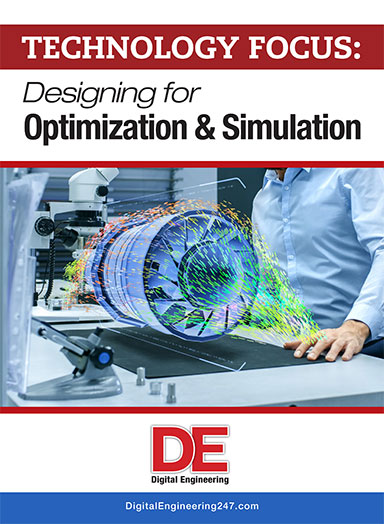
Technology Focus: Designing for Optimization & Simulation
Simulation is pervasive, with people from different departments and backgrounds discovering new ways to put it to use, in all of its varied forms.
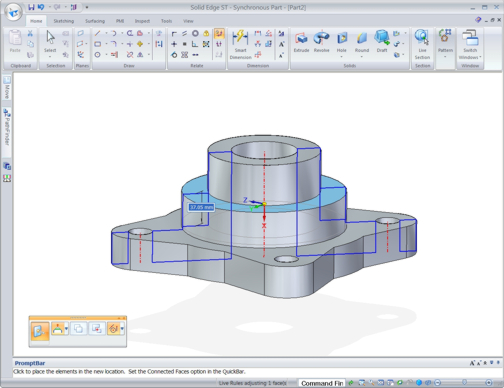
Last week, Kris Kasprzak, director of Solid Edge marketing at Siemens PLM Software, made a stop in San Francisco to see me and Ten Links' editor-in-chief Roopinder Tara. Kasprzak was on a roadshow to promote the upcoming release of Solid Edge with Synchronous Technology 2 (SE with ST2). This marks the second release of the company's midrange parametric CAD package outfitted with direct editing. (To use Siemens' own description, Synchronous Technology "combines the best of constraint-driven techniques with direct modeling.")
Notable additions in the new version include:
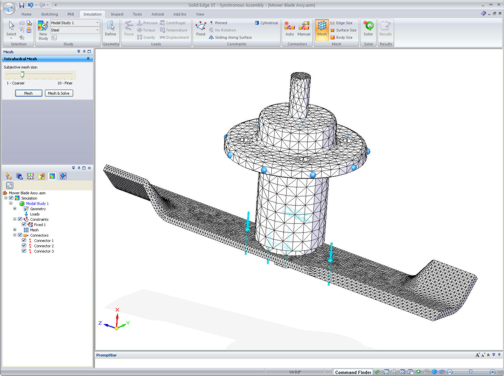
The closest commercial rival to SE with ST2 might be Autodesk Inventor Fusion, set to appear as a technology preview in Autodesk Labs in the near future. Responding to Siemens' initiative, Autodesk plans to deliver a version of its mid-range CAD package featuring both parametric and direct editing. (For more, read "Autodesk Joins the Hybride CAD Movement").
A year after its premiere, Siemens' Synchronous Technology continues to fuel debates about the merits of direct editing. The latest round began with blogger Deelip Menezes' post titled "Inventor Fusion and SolidWorks Confusion." Menezes wondered if Inventor Fusion might be "the final straw" for SolidWorks, the nudge for the company to incorporate direct-editing features into its classic parametric CAD program. The exchange heated up considerably as comments piled up.
Many consider Autodesk Inventor, Solid Edge, and SolidWorks as comparable mid-range CAD systems. Since Solid Edge had embraced direct editing and Inventor is poised to do the same, SolidWorks remains, for better or worse, the lone holdout in history-based CAD. (Currently SolidWorks offers some direct-editing functions via Instant 3D, but they're hardly at the scale seen in Synchronous Technology.)
Sometimes I wonder if we're too hung up on terminologies. Do engineers and designers care whether the software they're using is parametric, direct, or freeform if it creates the bodies, profiles, curves, and blends they envision? Ultimately, wouldn't the type of parts, assemblies, or doodads they're designing determine the software they need to use?
Richard Williams, a Desktop Engineering reader and a retired construction electrician, wrote, "Rather than arguing about which [parametric or direct modeling] is better, faster, or easier to use, [vendors] should maybe sell each MCAD program according to [how it is intended to be used]. A designer doesn’t necessarily work or want to work like an engineer. They are looking to model their designs and concepts fast without much regard [for] how it can be made ... An engineer works ... in the orthographic realm ... more or less in the vertical and horizontal axes. Curves and such belong mostly to designers ... [Parametric and direct modeling] should not be competing at all. You should go with the one you like to enhance your job skills and creativity or the way you work."
Williams is a frequent contributor to www.engineering.com. Find his writings under the pen name Corporal Willy.
For update, read "SolidWorks' Stance on Direct Modeling."
[Note: Post revised to correct info on Solid Edge Insight's availability on Microsoft SharePoint.]


Kenneth Wong is Digital Engineering's resident blogger and senior editor. Email him at [email protected] or share your thoughts or suggestions at digitaleng.news/facebook.
Follow DE






About Us · Contact Us · Editorial Team · Advertising · Privacy Policy · Subscriber Services · © 2026 Digital Engineering 24/7 · Peerless Media