Helping design and engineering professionals discover, evaluate and specify technologies and processes that shorten the design cycle and enable success.


Alert!
Digital Engineering ceased publication on July 1, 2026. This website remains available as an archive of engineering content.
For inquiries or information, please email [email protected].


Sponsored
Artificial Intelligence for Design and Engineering Workflows
In this white paper, learn how artificial intelligence and machine learning can improve design and simulation.
Technology Focus: Designing for Optimization & Simulation
Simulation is pervasive, with people from different departments and backgrounds discovering new ways to put it to use, in all of its varied forms.
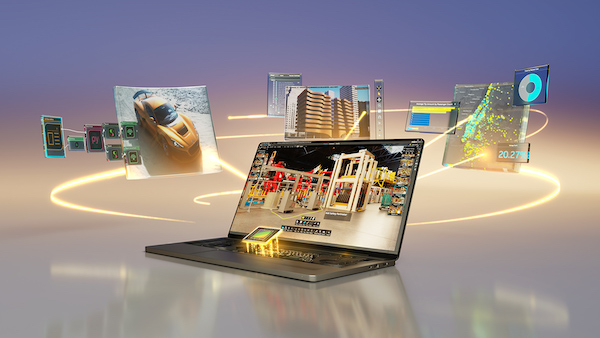
Modern engineering workstations, combined with new software tools, are enabling new levels of innovation for designers. CAD tools increasingly incorporate simulation and analysis capabilities, and many simulation solvers now support GPU acceleration.
By leveraging GPU compute, engineers can perform more simulations faster, which can result in better designs. In addition, advanced visualization tools such as KeyShot or SOLIDWORKS Visualize can use GPU compute resources to render complex models.
New advanced GPUs from NVIDIA are further improving design and simulation performance. NVIDIA RTX™ GPUs for laptops and desktops based on NVIDIA Ada Lovelace architecture provide greater efficiency, more processing cores, and larger graphics memory to support these applications. New workstations from partners like Dell Technologies incorporate these professional GPUs, along with the latest Intel processors and optimization technology, and provide powerful platforms for simulation and rendering.
We recently spoke to Satish Kumar Bonthu, a CAE expert/evangelist based in Iceland, and the owner of M-Star India In-Silico Solutions (a reseller of virtual prototyping and simulation solutions), about some general considerations when configuring an engineering workstation for modern simulation applications.
Bonthu noted that, apart from upgrading your hardware, engineers can benefit from making sure they have the latest release of their application software, which can also provide a performance boost. “You can take advantage of the constant efforts by almost all CAE vendors in optimizing their solvers continuously for better throughput. Simply by installing the latest version of software with the improved version of the solvers can help to some extent,” he said.
It is also important to make sure hardware resources are appropriately allocated for efficient utilization.
In terms of selecting a GPU, he says that it is important to select a processor that has been tested for compatibility with the solvers being used. NVIDIA, for example, works closely with ISV developers to ensure their products are certified.
“The synergy between GPU companies and CAE companies in helping each other towards making their common customers happy needs to be well understood,” he said. “When it comes to decision making, approval and acceptance of the latest GPUs by CAE companies should be the next level check point.”
Another consideration is licensing. While GPU-accelerated solvers can provide big improvements in performance, in the past some CAE vendors charged a higher licensing price for GPU-based computing. Many of the vendors that were early adopters of GPU acceleration, however, have created new licensing options that are more GPU-friendly.
For general design and simulation workloads, Bonthu said that mobile workstation users should ensure they have a minimum of 16 GPU cores and 32GB of RAM (along with 1 TB of storage). Desktop systems should have a minimum of 32 CPU cores, 64GB of RAM, and 2TB of storage. Different types of solvers may require more or less memory, so it is important to map out your specific simulation needs when configuring a workstation.
When it comes to GPUs, selecting the right processor will depend on the workflow. For most users, the NVIDIA RTX™ A2000 is the go-to choice for basic design and analysis work. Complex design, photorealistic rendering and simulation applications such as Ansys Discovery, PTC Creo Simulation Live would need the NVIDIA RTX™ A4000 or above. Very large assemblies , real-time raytracing and CFD applications such as Ansys Fluent, Siemens Simcenter STAR-CCM+, and M-Star CFD may require considering the NVIDIA RTX™ A6000.
You can learn more about the role of the GPU in CAE applications in our coverage of a recent report from Jon Peddie Research.


Dell sells personal computers (PCs), servers, data storage devices, network switches, software, computer peripherals, HDTVs, cameras, printers, MP3 players, and other electronics.
Artificial Intelligence for Design and Engineering Workflows
In this white paper, learn how artificial intelligence and machine learning can improve design and simulation.

Brian Albright is the editorial director of Digital Engineering.
Contact him at [email protected].






About Us · Contact Us · Editorial Team · Advertising · Privacy Policy · Subscriber Services · © 2026 Digital Engineering 24/7 · Peerless Media