Helping design and engineering professionals discover, evaluate and specify technologies and processes that shorten the design cycle and enable success.


Alert!
Digital Engineering ceased publication on July 1, 2026. This website remains available as an archive of engineering content.
For inquiries or information, please email [email protected].

May 2026 Special Focus: Artificial Intelligence in Design and Simulation
In this Special Focus Issue, learn about the latest developments in the integration of artificial intelligence into engineering workflows.

April 2026 Special Focus Issue: Generative Design
In this Special Focus Issue, Digital Engineering takes a look at how generative design solutions can be used across different types of design problems and with a variety of manufacturing approaches to accelerate design space exploration, and…
AutoCAD 2025.1 and AutoCAD LT 2025.1 are now available from Autodesk. This release builds on previous features introduced in AutoCAD 2025, providing enhancements to improve collaboration.
Sheet Set Manager remains one of the most used features by users who include AutoCAD on the web in their workflows, or use Autodesk Docs as their common data environment for DWGs. There are several updates to further build on its functionality.
The Sheet Set Manager now supports publishing using custom linetypes that reference SHP and SHX files. Additionally, it will now display detailed publish information, including job errors and warnings to help troubleshoot sheet sets. The upgraded Sheet Set manager also allows multi-selection for moving and removing sheets and prevents importing of sheets from locked drawing files or unlocking locked drawing files when sheets are removed.
With the release of AutoCAD 2025, there are several updates designed to enhance collaboration for teams that manage drawings with Autodesk Docs. With AutoCAD 2025.1 and AutoCAD LT 2025.1, there are significant improvements to the SHARE command. Prior to the update, the SHARE command provided options to create a view-only link or share a link to for a recipient to edit and save a copy of drawing, which would create a new version of the drawing to be managed.
With the update, users can now quickly share access to drawings managed with Autodesk Docs with the new “Can Edit” link type. This allows collaborators within the same Docs project to share and open the same DWG files directly in AutoCAD on the Web with just one click. This makes collaboration easier nd reduces the amount of time spent navigating project folders to find the correct link to share with your team and makes DWG versioning easier to track and manage with Autodesk Docs using Activity Insights.
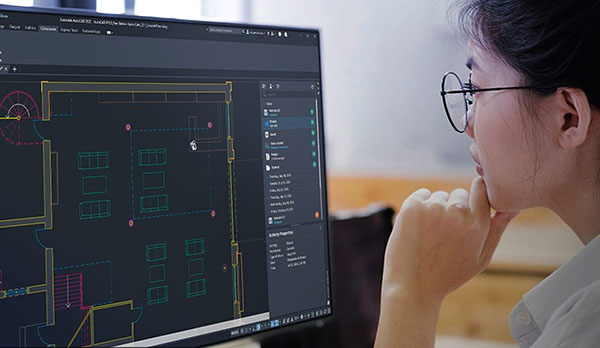
Several enhancements have been made to the Activity Insights feature which was first introduced in AutoCAD 2024. Activity Insights helps teams bridge the information gap in collaborative workflows by keeping you informed of relevant file changes and access through out a project lifecycle, with detailed event properties and multi-user activities.
Ever wondered how to use the built-in search function in the Activity Insights palette? The Autodesk team enhanced this feature to help you find information with ease, the company says. Whether looking for a specific file name, activity type, trace layer, specific property or value, you can find this now using full or partial search strings.
And if you like keeping track of time and dates, the improved time format is offered. While the current day continues to display as “Today”, the Activity Insights palette now uses your operating system’s region format for all other date headers to show the full date, including the year, in a compact format. Activity timestamps have also been modified to use a compact format.
For additional enhancements, click here.
Sources: Press materials received from the company and additional information gleaned from the company’s website.


Autodesk is a world leader in 3D design, engineering, and entertainment software. They produce software for the architecture, engineering, construction, manufacturing, media, and entertainment industries.

DE's editors contribute news and new product announcements to Digital Engineering. Press releases may be sent to them via [email protected].
Follow DE
Join over 90,000 engineering professionals who get fresh engineering news as soon as it is published.






About Us · Contact Us · Editorial Team · Advertising · Privacy Policy · Subscriber Services · © 2026 Digital Engineering 24/7 · Peerless Media