Helping design and engineering professionals discover, evaluate and specify technologies and processes that shorten the design cycle and enable success.


Alert!
Digital Engineering ceased publication on July 1, 2026. This website remains available as an archive of engineering content.
For inquiries or information, please email [email protected].

May 2026 Special Focus: Artificial Intelligence in Design and Simulation
In this Special Focus Issue, learn about the latest developments in the integration of artificial intelligence into engineering workflows.

April 2026 Special Focus Issue: Generative Design
In this Special Focus Issue, Digital Engineering takes a look at how generative design solutions can be used across different types of design problems and with a variety of manufacturing approaches to accelerate design space exploration, and…
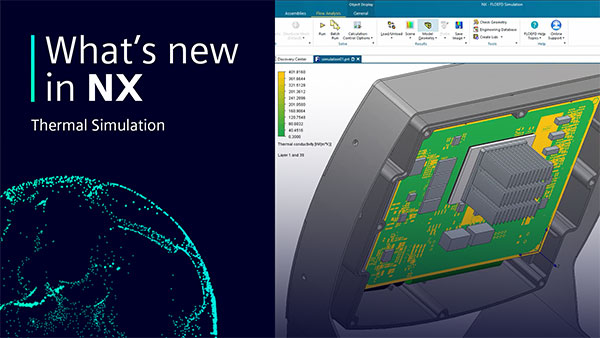
Siemens NX for thermal simulation offers a bevy of new features.
One notable new feature within NX is the power to embed other software into your workspace. In a scenario of thermal simulation, Simcenter FLOEFD is embedded directly into NX. This means that you do not have to learn new software and can continue working in an environment native to you. Another addition to this software is that by embedding Simcenter FLOEFD into NX, the changes you make are automatically detected and synchronized to your design.
The next step is to exclude any geometry that would be replaced later on. For this, it is necessary to use the component control to tell Simcenter FLOEFD to ignore the pre-determined geometry. In this specific example, there is no need to include the mechanical computer-aided design (MCAD) printed circuit board (PCB). The MCAD PCB will be replaced later with the thermal representation that will be created.
Now that you have selected the components that we need, consider the PCB in this example. This is where Simcenter FLOEFD’s built in EDA (electronic design automation) Bridge tool comes into play. EDA Bridge reads the PCB design file directly and can export it into a thermal model with the aligning material properties.
After your thermal representation of the PCB has been completed as a sub-assembly, you can now use the “Add from Components” feature to re-enter all the inputs back into the original model. Along with the new PCB, you can also select and replace the component model for the processor with a more detailed model to better represent the thermal conditions expected.
This detailed model of processor could be imported, or a new model can be created using Simcenter FLOEFD’s built-in Package Creator.
Once the PCB sub-assembly is reviewed and closed, return to the main simulation model. Before running the simulation, create a second simulation to compare how the modified covers with cooling holes perform versus the standard rear cover. Before solving the projects, it's critical to tell Simcenter FLOEFD to ignore your original model and include the modified model that you are experimenting with. At this point you can solve both projects.
Once both simulations have finished, you can review the results. In most cases, it should be clear the impact the experimental model has on the thermal dynamics versus the stand model. By sing thermal simulations, you can efficiently find the impact that two contrasting designs can have on your model without ever leaving NX.
Sources: Press materials received from the company and additional information gleaned from the company’s website.


Simcenter™ software, from Siemens Digital Industries Software, uniquely combines system simulation, 3D CAE and test to help you predict performance across all critical attributes earlier and throughout the entire product lifecycle. By combining…

Making the Case for Artificial Intelligence and Machine Learning in Engineering
In this paper, Siemens Digital Industries Software and Digital Engineering will provide an overview of how AI/ML-enabled software can improve design workflows, while also addressing common questions and concerns around implementing this technology in an engineering organization.

DE's editors contribute news and new product announcements to Digital Engineering. Press releases may be sent to them via [email protected].
Follow DE
Join over 90,000 engineering professionals who get fresh engineering news as soon as it is published.






About Us · Contact Us · Editorial Team · Advertising · Privacy Policy · Subscriber Services · © 2026 Digital Engineering 24/7 · Peerless Media