Helping design and engineering professionals discover, evaluate and specify technologies and processes that shorten the design cycle and enable success.


Sponsored

 Dear DE Reader:
Ultimaker has been an interesting outfit since its first product, a DIY 3D printer that you can still get. But they now offer five other desktop 3D printers, including the Ultimaker 3 professional-level system that handles everything from prototypes to end-use parts as well as a nifty portable “to-go” unit. None of these units are budget breakers. Still, it's Ultimaker's software that's of interest in today's Check it Out. Two news items here.
First is Ultimaker Cura, the company's free 3D print preparation toolkit. It's coded to be both friendly for neophytes and powerful for old pros. It has more than 200 settings that you power users can manipulate. It plays well with files from popular software platforms, which is also where the newly released version 3.0 sees some major action.
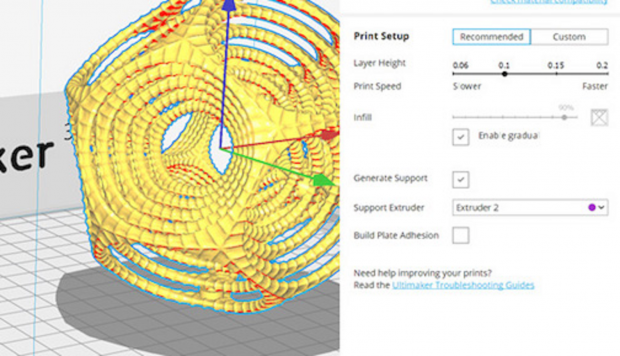
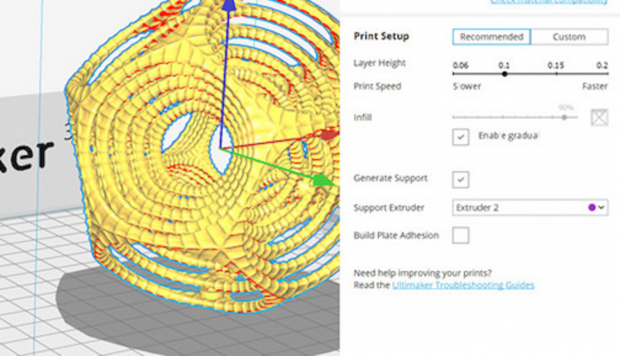 Version 3.0 of Ultimaker's 3D print preparation software introduces integration plug-ins for major CAD systems and a new user interface with recommended settings for organizing 3D print jobs quickly. Image courtesy of Ultimaker.
New plug-ins that integrate Ultimaker Cura 3.0 with SOLIDWORKS 2016 and above as well as NX 10 and 11 are now available. You design in, say, SOLIDWORKS, click export to Ultimaker Cura and it'll open with your design ready to be sliced and printed. Change something in NX? Click the button again and the design can be updated in Ultimaker Cura. Plug-ins are a one-click install, and Ultimaker will push updates as necessary. You can develop your own custom plug-ins, too.
Ultimaker Cura 3.0 also has a new user interface and a slew of enhancements. Among the latter are new default settings that could save print time, material usage and material costs. New recommended settings with sliders should make for quick and easy print setups. Existing users will notice overall performance enhancements, especially at startup, as well as the new build plate showing graduations of 10 mm and 1 mm, new slicing features, new skin settings and Z seam options.
Second, today, November 7, Ultimaker released a printer firmware update called Cura Connect. It lets you link and manage multiple Ultimaker 3D printers for small-scale production. Cura Connect provides an overview of pending print jobs in one interface. You can select and group printers, queue jobs, monitor prints and schedule maintenance. It sends notifications when a printer needs attention. Cura Connect runs in your web browser.
That's a lot of action. To explain it all, tomorrow, November 8, at 2 p.m. (ET), Ultimaker will air a live webinar detailing what's new in Ultimaker Cura and introducing Cura Connect. For now, start learning more about Ultimaker Cura 3.0 by clicking here.
Thanks, Pal. – Lockwood
Anthony J. Lockwood
Editor at Large, DE


Anthony J. Lockwood is Digital Engineering's founding editor. He is now retired. Contact him via [email protected].
Follow DE
Join over 90,000 engineering professionals who get fresh engineering news as soon as it is published.






About Us · Contact Us · Editorial Team · Advertising · Privacy Policy · Subscriber Services · © 2026 Digital Engineering 24/7 · Peerless Media