Helping design and engineering professionals discover, evaluate and specify technologies and processes that shorten the design cycle and enable success.


Alert!
Digital Engineering ceased publication on July 1, 2026. This website remains available as an archive of engineering content.
For inquiries or information, please email [email protected].

Design & Simulation Software Guide 2025
In this Special Issue, Digital Engineering presents its second annual guide to design and simulation software vendors.

Design & Simulation Software Guide
In this Special Issue, Digital Engineering presents its inaugural guide to design and simulation software vendors, including listings for CAD, CAM, simulation, generative design, PLM, rendering and visualization, design for additive manufacturing,…
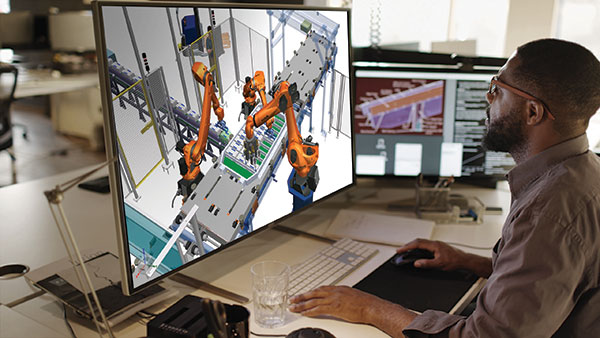
The Tecnomatix portfolio from Siemens Digital Industries Software delivers advanced digital manufacturing software to empower businesses across diverse industries and sizes, the company reports. Tecnomatix 2402 launched recently with several new advancements in the areas of Teamcenter connectivity, user interface updates, collaboration, robotics simulation, offline programming, virtual commissioning, human simulation and virtual reality.
Tecnomatix software helps companies minimize manufacturing risks and improve their production operations, according to Siemens.
The following new capabilities were released in 2402.
Frequent release updates
Tecnomatix 2402 introduces frequent release updates, replacing the traditional hotfix mechanism in favor of a more dynamic and responsive approach to software improvements. Now you can achieve seamless release updates through Process Simulate, according to Siemens. Unlike the conventional hotfixes, these updates encompass both issue fixes and minor enhancements.
This enhancement component takes center stage in alerting you about available updates upon launching Process Simulate. You can download and install updates directly within Process Simulate, providing a hassle-free and streamlined process, Siemens notes.
For those who prefer a more controlled approach to updates, Tecnomatix Doctor allows you to disable update notifications in the release update setting dialog, accessible using the tools menu. Tecnomatix 2402 also introduces an active approach to staying current with the software. The new ‘Check for Update’ command, conveniently located under the File menu in Process Simulate, allows you to proactively search for software updates. This allows you to leverage the latest advancements whether you prefer immediate integration of updates or a more personalized approach.
Tecnomatix 2402 introduces a new dark theme in Process Simulate. This feature impacts key UI elements like the ribbon, viewers and dialogs, excluding the graphic viewer for optimal clarity. The dark theme helps to emit less blue light, reducing eye strain and boosting work efficiency, especially in low-light conditions. You gain customization control with a theme setting, allowing seamless changing between the default light and the new dark theme. To better support the user of the dark theme, many icons in the dialog boxes were redesigned in vector (.svg) format to enhance the visualization across themes.
Authoring enhancements
Explore new integration enhancements for Process Simulate on Teamcenter, starting with authoring improvements. To ease authoring in Process Simulate on Teamcenter, Tecnomatix 2402 introduces visual cues in both the object viewer and the operation tree. These indicators, represented by dedicated icons on the object line, seamlessly communicate the access state of the object, adding clarity to the authoring process on Teamcenter. The three distinct icons to improve locking indication now appear in the status bar, including locked, checkout by the current user, and checkout by another user. When no access state icon is displayed, it indicates that the object is available for authoring.
For more product detail, click here.
Join the Tecnomatix public community and explore the website for even more developments.
Sources: Press materials received from the company and additional information gleaned from the company’s website.


Simcenter™ software, from Siemens Digital Industries Software, uniquely combines system simulation, 3D CAE and test to help you predict performance across all critical attributes earlier and throughout the entire product lifecycle. By combining…
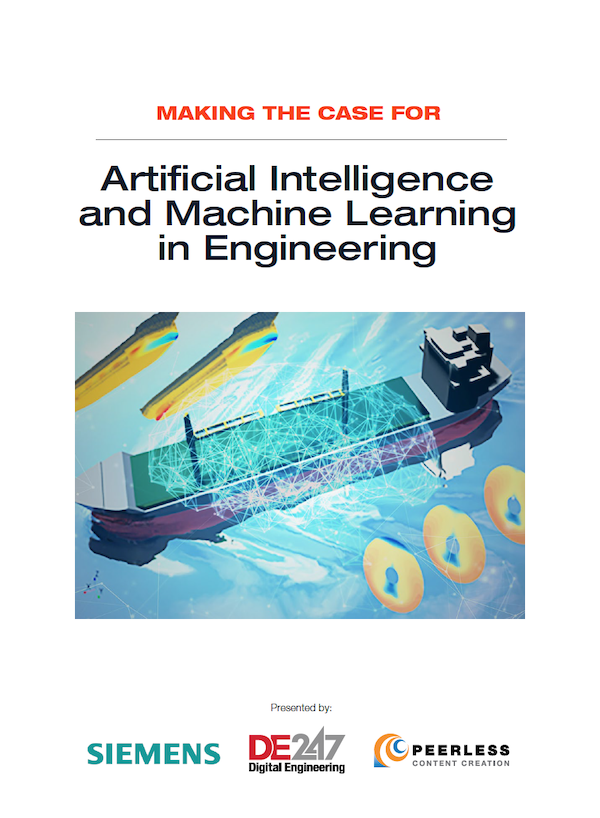
Making the Case for Artificial Intelligence and Machine Learning in Engineering
In this paper, Siemens Digital Industries Software and Digital Engineering will provide an overview of how AI/ML-enabled software can improve design workflows, while also addressing common questions and concerns around implementing this technology in an engineering organization.

DE's editors contribute news and new product announcements to Digital Engineering. Press releases may be sent to them via [email protected].
Follow DE
Join over 90,000 engineering professionals who get fresh engineering news as soon as it is published.






About Us · Contact Us · Editorial Team · Advertising · Privacy Policy · Subscriber Services · © 2026 Digital Engineering 24/7 · Peerless Media