Helping design and engineering professionals discover, evaluate and specify technologies and processes that shorten the design cycle and enable success.


Alert!
Digital Engineering ceased publication on July 1, 2026. This website remains available as an archive of engineering content.
For inquiries or information, please email [email protected].

Cut Retrieval-Augmented Generation (RAG) Hallucinations by 50%
Most teams hit the same wall with enterprise AI: LLMs that hallucinate, pipelines that don’t scale, and infrastructure that’s harder to design than the models themselves.

What Is Intelligent BOM Management? A Guide to Smarter Product Development
Learn how intelligent Bill of Materials (BOM) management helps teams collaborate, reduce errors, and bring innovative products to market faster with cloud-based PLM tools.
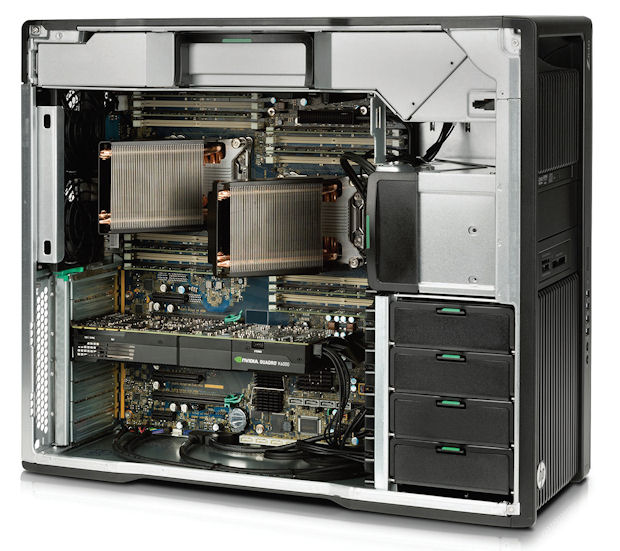
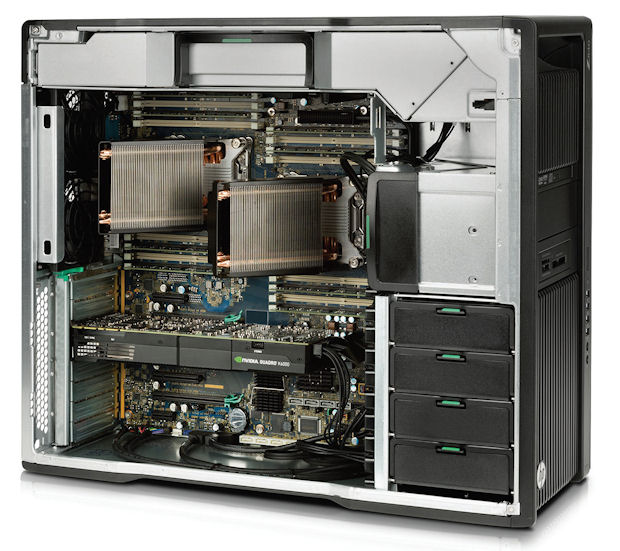 New workstations make use of the new Intel Xeon E5-2600 V3 family of processors, as well as the latest graphic options from AMD and NVIDIA. Image courtesy of HP.
It’s the most wonderful time of the year and all, but in addition to the parties and presents, the end of the year is always a good time to take stock. For engineers, it’s an opportunity to re-evaluate how well your workstation is holding up to support your design and simulation needs.
There are a number of factors that can help you determine whether a workstation refresh is in the cards before closing the books on 2014:
1. Is your team conducting the optimal number of design studies? There is no magic number, but given the growing complexity of products, regular and repeated design studies are a mandate. If your team is cutting corners on the frequency and type of design studies performed simply because it’s a drag on the hardware, that could indicate the need for an upgrade.
2. Is analysis-led design a best practice? Does your company plan to push simulation up earlier in the design cycle to explore and optimize more alternatives prior to building physical prototypes? If so, a workstation that is three years or older may not be equipped with sufficient processor cores, memory, and other components to efficiently handle analysis-led design workflows.
3. Is your system optimized to run the latest simulation and CAD tools? To fully utilize sophisticated simulation and design software suites, make sure your systems meet the software’s recommended requirements.
4. Is your workstation fast enough? If you are limited by the size or number of models you can simulate, or unable to test designs in a realistic virtual setting, you may need an upgrade.
Computing hardware continues to improve, which further dates older equipment. For example, Intel recently launched its new Xeon E5-2600 V3 family of processors, based on its new 22nm Haswell microarchitecture that feature up to 18 cores. AMD also introduced three eight core CPUs built on its 32nm Piledriver architecture. Both AMD and NVIDIA have also launched new graphics cards that are faster and more efficient. (See “New Computing and Graphics Processors Drive Engineering Innovation,”)
Computer manufacturers are already offering workstations with the new components, which means your older workstation just got slower by comparison. For instance, Dell claims its new Xeon E5-powered workstations with 2,133MHz DDR4 memory perform up to 4.7 times faster than the previous generation.
If your current workstation is just a year or two old, consider giving it a year-end boost by upgrading its RAM and installing a solid-state drive to satisfy your requirements for the new year. A computer that is three years old or older isn’t likely to allow you to embrace analysis-led design practices on any grand scale.
When specifying a workstation upgrade, balance these four components:


Beth Stackpole is a contributing editor to Digital Engineering. Send e-mail about this article to [email protected].
Follow DE






About Us · Contact Us · Editorial Team · Advertising · Privacy Policy · Subscriber Services · © 2026 Digital Engineering 24/7 · Peerless Media